 ZELLA
ZELLAZella for iPhone & iPad: The Whole Studio, In Your Pocket
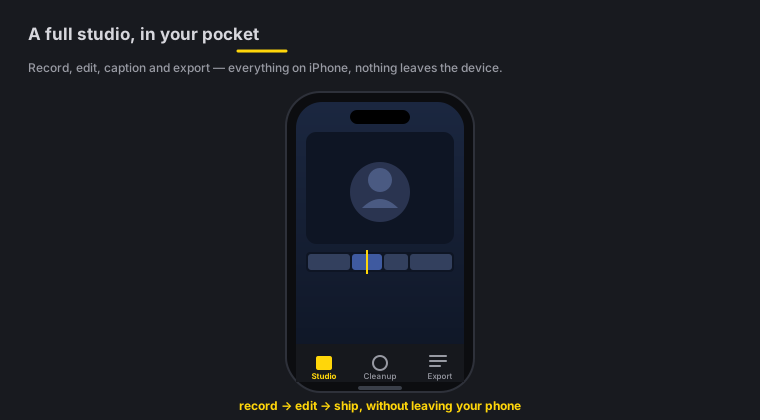
Quick answer: Zella for iPhone & iPad is the same on-device studio as the Mac app, rebuilt native for iOS — record your camera or screen, then cut, caption, grade, add AI b-roll and reframe entirely on the phone. No cloud, no account, nothing uploaded. It’s coming to the App Store (not downloadable yet). One Zella Pro is a Universal Purchase: buy it once and it unlocks Mac, iPhone and iPad together.
On this page: what it is · what you can make · on-device & private · install · Universal Purchase · iPhone vs Mac · FAQ
What is Zella for iPhone & iPad?
Zella for iPhone & iPad is a native recorder and AI video editor that runs the whole Record → Edit → Ship workflow on your phone or tablet. It’s the mobile twin of the Mac app: the same timeline, the same one-tap Auto-Polish, the same on-device captions and background removal — rebuilt for touch and for Apple’s Neural Engine.
It’s universal: one app runs on both iPhone and iPad, and it requires iOS 17 or later. Everything happens on the device — there’s no account to create and no footage to upload.
What can you make?
- TikTok / Reels / Shorts, shot and finished on your phone
- Talking-head clips with a live blurred or replaced background
- Screen recordings and app demos captured with ReplayKit
- Quick edits of footage already in your Photos or Files
- Captioned, color-graded social videos without a laptop
Is it really 100% on-device?
Yes. Recording, transcription for captions, background removal, color grading and export all run on the device itself — on Apple Silicon and the Neural Engine. Nothing is sent to a server, there’s no account, and no footage leaves your phone.
Two features are opt-in and clearly network-based, exactly like on the Mac:
- Auto B-Roll generates cutaway cards on-device with no key and no network. Only the optional stock-footage path sends a keyword from your captions to Pexels or Pixabay — never your video.
- The AI Assistant sends only your typed prompt to whichever language-model key you add — never your video.
If you never touch those two, Zella is entirely offline. See On-device AI for the details.
How do I install it?
Zella for iPhone & iPad is coming to the App Store. It isn’t downloadable yet — when Apple approves the listing, you’ll get it the normal way:
- Open the App Store on your iPhone or iPad.
- Search for Zella.
- Tap Get to install (the app is free).
Until then, the iPhone & iPad page shows a “coming soon” badge. Grab the Mac app in the meantime — your Pro unlock will carry over to the phone automatically (see below).
One purchase unlocks every Apple device
Zella Pro is a Universal Purchase. That means one payment — the same one-time $89 Pro — unlocks Mac, iPhone and iPad at once. Buy it on any device you own and it just works on the others signed into the same Apple ID. There’s no subscription and no per-device fee.
Free is generous on the phone too: unlimited recording, the full editor, on-device captions, background removal, 25 transitions and 25 color looks, and 1080p export with no watermark. Pro adds 4K export, transparent-background export (HEVC with alpha), 60 fps, custom bitrate, Clip Series, the multi-aspect queue, saved templates and the depth toolset. See Export & handoff and Pricing.
iPhone or Mac?
Use the phone to capture in the moment and cut a clip on the spot; use the Mac for long-form, precision work on a big screen. They hand projects back and forth as .zella files, so you can start on one and finish on the other. See iPhone vs Mac for the full picture.
iOS getting started FAQ
Can I download it today? Not yet — it’s coming to the App Store. The app will be free to download when the listing goes live.
Does it need an account or the cloud? No. Like the Mac app, it’s 100% on-device with no account and no upload.
Which devices run it? Any iPhone or iPad on iOS 17 or later — it’s a single universal app.
If I bought Pro on the Mac, do I pay again on the phone? No. Zella Pro is a Universal Purchase — one payment unlocks Mac, iPhone and iPad.
Is it a stripped-down version of the Mac app? No — it’s the same studio rebuilt for touch: the same timeline, Auto-Polish, captions, background removal and AI Assistant.
Pro tips & gotchas
- Free has no watermark. You can ship a finished, captioned, graded clip on the free tier — Pro is only for 4K and the power tools.
- Buy Pro once, anywhere. The unlock follows your Apple ID across Mac, iPhone and iPad.
- Offline by default. Only the optional stock-footage b-roll and the AI Assistant reach the network, and only for a keyword or a prompt — never your video.
- Hand off to finish big. Export a
.zellafile to open the same project on the Mac.
Related: Recording on iPhone → · The iOS editor → · On-device AI → · iPhone & iPad page → · Pricing →