 ZELLA
ZELLASound on iPhone & iPad: Effects, Voice Changers, Music & Beat Sync
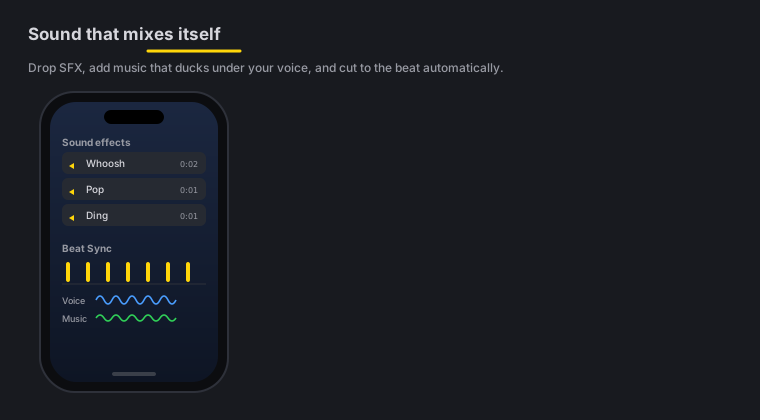
Quick answer: The phone ships with 30 built-in sound effects, 16 voice changers, music with Auto-Duck (the track dips under your voice, then swells back), Polish Voice with five studio tones, and per-band Beat Sync that pulses zooms and effects to the kick, snare or hats. All of it runs on-device — no files to hunt down, no upload.
On this page: sound effects · voice changers · music & Auto-Duck · voice tones · Beat Sync · FAQ
30 sound effects
Drop from 30 built-in sound effects — whooshes, pops, risers, impacts and UI clicks — straight onto your timeline. There are no files to download or licenses to chase; they’re baked into the app. Place a whoosh on a cut, a pop on a callout, a riser before a reveal — then drag the sound on the timeline to snap it under any cut or transition. Same library as the Mac’s sound effects.
Auto sound at cuts
Don’t want to place them by hand? Auto sound at cuts puts one matched whoosh, impact or riser under every transition in one tap — the effect is picked to fit the transition type, impacts land on the cut, whooshes straddle it, risers build in. Tap again to remove the auto-placed set; sounds you placed yourself stay. Auto-Polish runs this same pass automatically.
16 voice changers
Sweeten or transform your narration with 16 voice changers — chipmunk, robot, echo, reverb, megaphone and more. Apply one to a clip’s audio for effect, or to hide your voice. These match the Mac’s voice changers.
Music with Auto-Duck
Add a music track and turn on Auto-Duck: the music dips automatically under your voice whenever you’re speaking, then swells back in the gaps. You get a scored video without manually riding the volume — the same Auto-Duck as the Mac. Combine it with per-clip volume for a clean, balanced mix.
Music beds are timeline citizens too: drag the bed’s right edge on the timeline to trim how long it plays, and set its volume per bed. When Auto-Polish adds music, it also mood-matches the pick to your speaking pace, snaps its start to the take’s first beat, and shapes an arc — a stronger intro before speech, swells in long pauses, and a fade-out at the end.
Per-band Beat Sync
Beat Sync pulses your zooms and effects to the music — and it’s per band, so you can drive them from the kick, the snare or the hats independently, each with its own sensitivity. Sync punch-ins to the beat and your edit feels choreographed. It’s the mobile version of the Mac’s Beat Sync.
Five voice tones
Polish Voice cleans your narration to broadcast loudness — and the tone picks its character. The polish foundation (rumble control, mud dip, broadcast compression, loudness normalize) is shared; the voicing on top is yours:
- Natural — light touch, true to source
- Warm — big low end, soft top
- Bright — lean lows, crisp airy highs
- Podcast — the ear-approved studio voicing (the default)
- Cinematic — biggest, deepest, densest
Pick a tone in Cleanup → Voice tone, then run Polish Voice — or switch the tone any time and the polish re-renders immediately with the new voicing. If a voice changer is active it re-renders too, from the fresh polish.
iOS sound FAQ
Do I need to download sound effects? No — 30 effects are built in, no files to hunt down.
Can I disguise or transform my voice? Yes — 16 voice changers (robot, echo, megaphone and more) apply to a clip’s audio.
Does the music dip under my narration automatically? Yes. Turn on Auto-Duck and the track dips under your voice, then swells back in the gaps.
Can I sync edits to the beat? Yes — per-band Beat Sync pulses zooms and effects to the kick, snare or hats, each with its own sensitivity.
Does the sound processing run on-device? Yes — like everything else on the phone, it’s on-device with nothing uploaded.
Pro tips & gotchas
- Turn on Auto-Duck before you fuss with music volume — it rides the level under your voice for you.
- A whoosh on every cut and a pop on each callout makes an edit feel intentional; don’t overdo it.
- Pick one drum for Beat Sync. Driving zooms off just the kick often reads cleaner than syncing to everything at once.
- Balance first with per-clip volume, then layer music and effects on top.
Related: The iOS editor → · Captions & titles → · Export & handoff → · Mac sound effects → · Music & Auto-Duck → · Beat Sync →