To change a video's speed on iPhone, select the clip and set its speed multiplier: below 1x is slower, above 1x is faster. The stock Photos app can only retime clips shot in Slo-mo mode, so anything else needs an editor with a speed tool. Remember that speed and pitch move together - 2x lifts a voice by a full octave - so mute or replace the audio past about 1.5x, and shoot at 60 or 120 fps if you plan to slow footage down.
To change speed on iPhone, select the clip and set its speed multiplier: below 1x is slower, above 1x is faster. That covers the mechanics. What separates a good retime from an obviously-sped-up one is where you change speed and how quickly you get there.
What the Photos app can and cannot do
On an ordinary video: nothing. Photos > Edit gives you trim, crop, rotate, filters and adjustments. There is no speed control anywhere in it.
On a Slo-mo clip: one specific thing. Open a video shot in Slo-mo mode, tap Edit, and a second filmstrip appears below the first with two vertical bars on it. Those bars set where slow motion starts and ends - drag them apart to slow a longer stretch, or slide them together to play the whole clip at normal speed. It is the only retiming Photos does, and it only works because the clip was captured at a high frame rate in the first place.
The frame rate is the whole trick. Settings > Camera > Record Slo-mo offers 1080p at 120 fps or 240 fps. Played back at 30 fps, that is a 4x or 8x slowdown baked into the file, with real frames behind every moment of it.
Time-lapse works the opposite way, at capture. The Camera app's Time-lapse mode drops frames as you record, more aggressively the longer you shoot, so the finished clip stays short. You cannot change the rate afterwards, because the intermediate frames were never recorded.
iMovie has a speed slider (the speedometer icon) with a freeze-frame option, which covers a constant retime. What it does not give you is a ramp.
Apple exposes screen capture on iPhone through ReplayKit, which covers both recording and broadcasting.
Constant speed vs a ramp
Constant speed applies one multiplier to the whole clip. Right for a timelapse, a long silent stretch, or trimming ten seconds of dead air down to three.
A speed ramp changes speed within the clip - easing from normal into fast and back. Right for emphasis: the moment before a reveal, a gesture you want to punch, a transition you want to feel athletic. A ramp reads as a decision; a hard jump from 1x to 4x reads as a mistake.
What speed does to your audio
Speeding a clip up resamples its audio, and pitch rises with it in a way you can predict exactly:
- 2x is one full octave up, twelve semitones. That is why a talking head at double speed sounds like a cartoon character rather than a person in a hurry.
- 1.5x is about seven semitones, a perfect fifth. Recognisably you, but noticeably wrong.
- 0.5x is an octave down, which turns a voice into a horror trailer.
Pitch-preserving time-stretching exists and it is not free: it works by overlapping and re-splicing small grains of audio, which smears consonants and reverb tails. On a voice it is usually audible past about 1.5x, as a slight flutter or a doubled "s".
The practical rule: past roughly 1.5x, do something about the audio rather than shipping it. Mute the clip and let music or a re-recorded narration carry it. Better still, cut the silences instead of speeding the voice - it removes the same wasted seconds and the remaining speech is untouched.
What speed does to your frames
Slow motion is a frame supply problem. Slowing 30 fps footage to 0.25x asks for 120 unique frames per second of output when you only recorded 30, so each frame is held for four output frames. That held frame is the stutter you are seeing, and no setting removes it.
Your options are:
- Shoot at a higher rate. 60 fps in Settings > Camera > Record Video, or 120/240 fps in Record Slo-mo, gives the frames to the editor instead of asking it to invent them.
- Stay above about 0.5x if the footage is 30 fps. That is the point where held frames start to read.
- Optical-flow interpolation can synthesise the in-between frames, and it will smear fast motion, thin objects and anything crossing an edge. It is a rescue, not a plan.
Practical rules
- Speed up the boring parts, not the whole video. Viewers notice a globally-sped-up talking head immediately, and it feels frantic.
- Ramp over 0.3 to 0.6 seconds. Faster feels like a glitch; slower feels like the video is buffering.
- Keep one clip on one speed idea. Two ramps inside three seconds is noise.
- Freeze frames need a reason. A hold works on a reveal or a punchline and looks like a rendering fault everywhere else.
Speed and the rest of your timeline
Changing speed changes a clip's length, which moves everything after it. Anything already placed - captions, titles, sounds, transitions - should move with it. Two consequences worth planning around:
- Caption before you retime and the words come loose. Word-timed captions are anchored to a moment in the audio; halve the speed and every word is now in the wrong place. Set your speed first, caption second.
- Slowing footage can blow past an export ceiling. A 70-second clip at 0.5x becomes 140 seconds, which is past Zella's 2-minute free export limit even though the original was comfortably inside it. Worth knowing before you slow something down rather than after.
How Zella does it
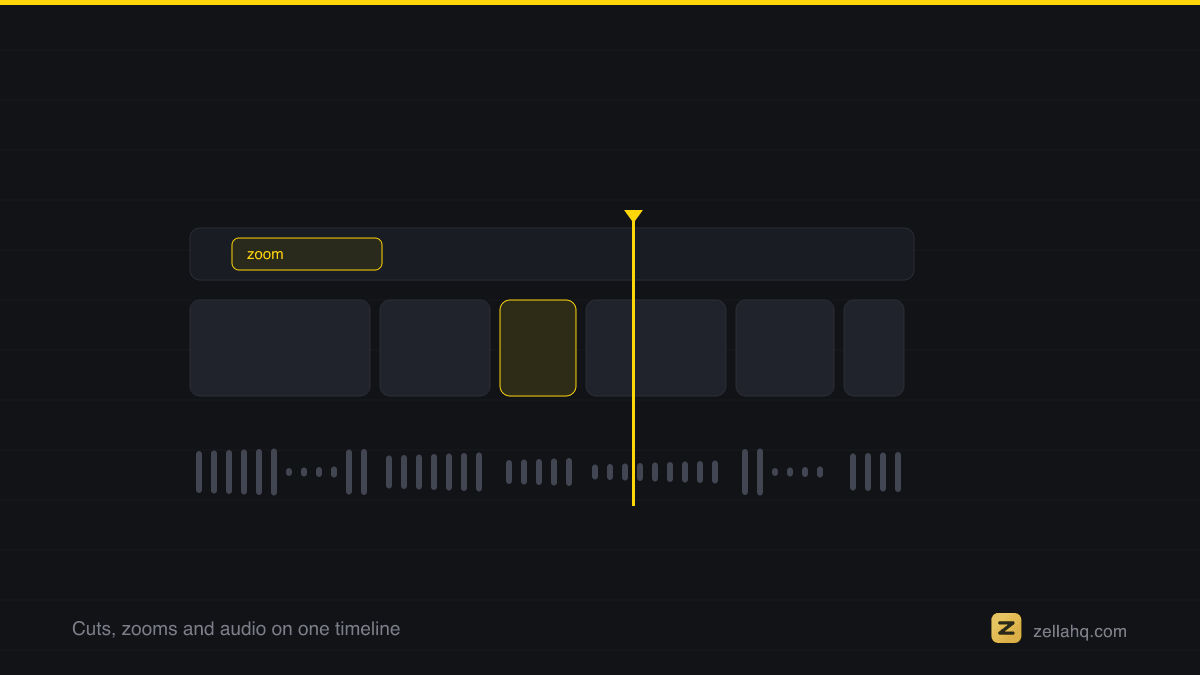
In Zella for iPhone, tap Speed in the timeline toolbar for the selected clip:
- A constant multiplier, with the timeline updating live, plus freeze and reverse - all free, like the rest of the editor.
- Speed ramps, blade-speed and instant replay sit with Pro, in the depth toolset alongside keyframe curves, feathered masks and Color Match.
- A project that already carries a ramp keeps previewing and exporting on every tier, so nothing you made during Pro Week stops working.
- Clip volume lives one button over, in Audio, for when a sped-up clip needs muting.
The Mac app is on the Mac App Store today; Zella for iPhone is on the App Store. See the iOS editor docs for the full walkthrough.
Frequently asked questions
Does speeding up a clip change its audio pitch? Yes - that's how resampling works, and the amount is exact: 2x is a full octave up, 1.5x is about a perfect fifth. Below roughly 1.5x it's tolerable; above that, mute the clip or replace the audio.
Can I speed up just one section of a clip? Split the clip at both ends of the section and set the middle piece's speed, or use a speed ramp if you want the change to ease in.
Why is my slow motion stuttery? There aren't enough frames. At 0.25x, 30 fps footage has to hold each frame four times. Shoot at 60 fps, or 120/240 fps in Slo-mo mode, when you plan to slow down.
Can I speed up a video in the Photos app? Only a Slo-mo clip, by dragging the two bars on its lower filmstrip together. Ordinary videos have no speed control in Photos at all.
Does changing speed re-encode my video? Only at export. The original file on your phone is never modified.
Make your next video with Zella.
Record, edit and ship on Mac and iPhone - local, private, free to start.
PART OF A SERIES
Speed, slow motion and ramps
Changing how fast a clip plays, on both apps, and ramping between two speeds.
- How to Speed Up or Slow Down a Video on Mac
- How to speed up or slow down a video on iPhoneyou are here
- What Is a Speed Ramp, and How Do You Add One?
- How to Freeze a Frame or Reverse a Clip
All of it lives under Pro Editor.
RELATED