ZELLA FOR IPHONE

The whole studio. In your pocket.

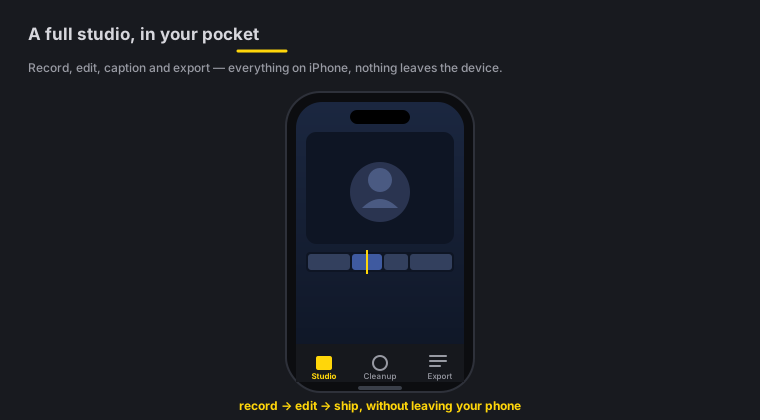
Record on the go, then cut, caption, grade and reframe entirely on-device - Zella's editor, rebuilt native for iPhone. No cloud, no account, nothing uploaded. One Zella Pro unlocks every Apple device you own.

iPhone · iOS 18+ · One purchase unlocks Mac too · 100% on-device

  • 0uploads. Ever.
  • 0accounts to create
  • 0watermarks, any tier
  • $0for the whole editor
Zella for iPhone - record, cut, caption, grade and reframe entirely on-device

Quick answer

Zella for iPhone is an on-device screen and camera recorder with an AI video editor built in. Recording, captions, background removal and export all run on the device itself, with no account and nothing uploaded. Zella Free is the complete editor and every AI feature, watermark-free, with exports up to 2 minutes at 1080p. Zella Pro is a one-time $89 Universal Purchase that also unlocks the Mac. The iPhone app is available on the App Store.

Every other editor on your phone needs something from you.

An account. A subscription. Your footage on their servers. A watermark if you will not pay. Zella needs none of it, and that is not restraint - it is the architecture. There is no server to send your video to, so there is no bill to pass on to you, and no reason to hold your export hostage.

Nothing to upload, because there is nowhere to upload it

Zella has no server. No account, no sign-in, no sync, no queue, no "processing" spinner. Every model runs on the Neural Engine in your hand, so the app works the same on a plane as it does on Wi-Fi. This is the one advantage a cloud-funded editor cannot copy - their AI costs them money per render, so their footage has to go to their machines.

A free export is a clean export. Full stop.

No watermark on any tier, no ad to sit through, no badge stamped on your work because you used the wrong template. Free runs up to 2 minutes at up to 1080p, and 1080p is free forever. The whole editor and every AI feature are in the free tier - the paid tier sells output, not intelligence.

One payment, not a meter

Zella Pro is $89 once - a Universal Purchase, so the same receipt unlocks Mac and iPhone. No monthly bill, no credits to top up, no tier that quietly reprices next year. If you stop paying, nothing happens, because there is nothing to stop paying.

The AI is free, on every tier

Auto-Polish, Make it Viral, Clean Up, Make Vertical, background removal, on-device captions, the 71-action AI Assistant and keyless Auto B-Roll all work on the free tier. Most editors put exactly these behind the subscription, because for them each one costs a server call.

Seven days of the whole thing. Nothing to cancel.

Every new install runs the full Pro feature set for its first 7 days - no card, nothing to cancel. 4K, unlimited export length, 60 fps, transparent-background export, Clip Series, the multi-aspect queue and the depth toolset all run from the moment you open the app. When the week ends nothing is deleted and nothing nags you - you simply land on the free tier, which is still the complete editor with all the AI and no watermark.

  • No card
  • No account
  • No countdown badge
  • No auto-charge, because there is no card

Record your screen or camera, then edit it all on the phone.

Capture anywhere on iPhone
01 · CAPTURE

Capture anywhere

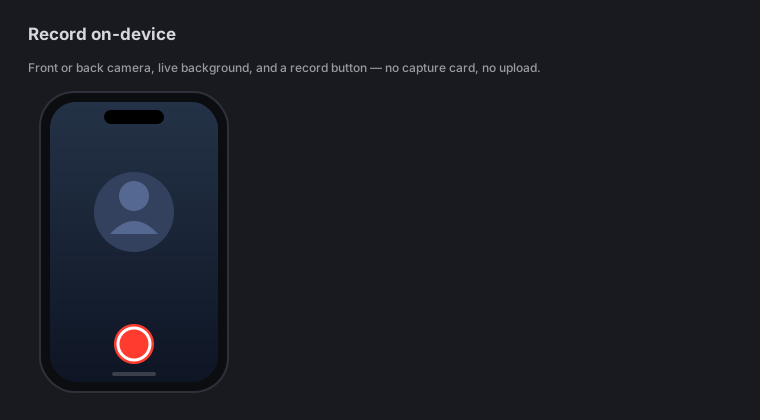
  • Camera recording - front or back, with a live background you can blur, cut out or replace while you film, baked straight into the recording
  • Screen recording (ReplayKit) and whole-device broadcast capture
  • Import from Photos or Files and edit footage you already shot
  • Segmented, crash-safe recording so a call or a low battery never costs you the take
  • A teleprompter over the camera preview - you set the pace in words per minute, and the scroll is timed to your script so it finishes when you do
  • Pinch to zoom on either camera, continuously - double-tap to snap back to 1x
  • Record straight into the project you are already editing, without leaving it or starting a second one
Edit like a pro, by touch on iPhone
02 · EDIT

Edit like a pro, by touch

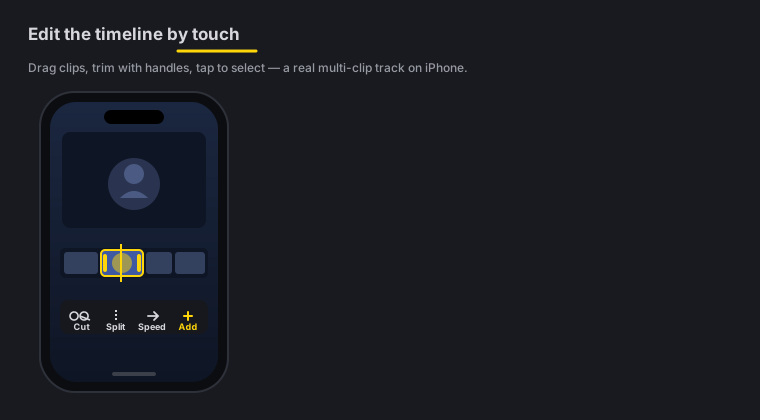
  • Multi-clip timeline - cut, trim, ripple-delete, drag to reorder, per-clip volume
  • Drag either end of anything on the timeline - stickers, titles, music beds and picture-in-picture all trim from both sides, with grips you can see
  • Transitions you can see and edit on the timeline - tap to select, drag to another cut, hold to delete
  • No tool panel ever covers your video - the canvas resizes to share the screen and stays scrubable behind whatever you opened
  • An Audio tool in the toolbar - clip volume and mute, a level for every overlay layer, and the whole sound library in one place
  • Picture-in-picture overlays with free-form resize - independent width and height, or snap back to the original ratio
  • Zoom blocks, retime and basic speed - free, like the rest of the editor
  • Pro: keyframes with a curve editor, feathered effect masks, speed ramps, Color Match and a live luma scope
  • 25 transitions and 42 cinematic color looks with an intensity slider, plus .cube LUT import - the looks brighten you rather than shading you, and an automated corner test on a portrait frame keeps it that way every build
On-device AI on iPhone
03 · ON-DEVICE AI

On-device AI

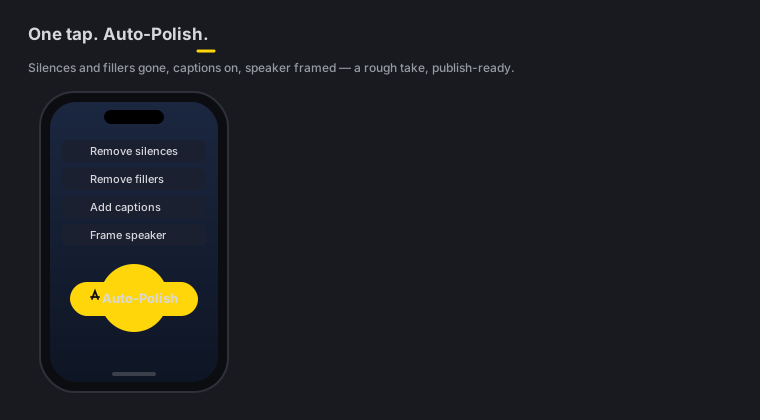
  • Auto-Polish - the one-tap retention edit: silence & filler cuts, extra cuts where you naturally pause, a cross-dissolve on the widest-spaced joins, Beast keyword captions with emoji, noise removal + voice polish, a hook title with an opening punch-in, emphasis zooms, mood-matched music with an arc, and pattern interrupts - it never forces a colour grade or sound effects on your footage
  • Make it Viral - the same pass plus the two bold layers Auto-Polish leaves out: a colour pop that skips your own grading, and matched sound effects under the strongest cuts
  • Clean Up - remove silences and filler words in one pass, from the on-device transcript
  • Make Vertical - face-aware 9:16 reframe for TikTok, Reels and Shorts
  • Reel Pack - word-pop captions, a vertical reframe and a transition on every cut, in one tap
  • Transcript editing - delete a word and the video ripple-cuts with it
  • Polish Voice - automatic on-device noise removal, de-ess, compression and loudness normalization, with music Auto-Duck under your voice
  • Auto B-Roll - cutaway cards generated on-device from your caption keywords, no API key and no network; add a free Pexels or Pixabay key only if you want real stock footage
  • Background removal built for movement - two on-device vision models must agree on every frame, and the edge tightens where you actually move, so gestures do not drag the room with them
  • Bokeh backdrop by default after background removal, switchable to cutout, transparent, blur or any of 40 backdrops
  • Beat Sync - cut and punch to the beat of your music bed, tuned per drum band when you want it (never applied for you)
  • AI Assistant - edit by typing plain English, 71 editing actions; only your prompt leaves the phone, never your video
Sound & captions that sell on iPhone
04 · SOUND & CAPTIONS

Sound & captions that sell

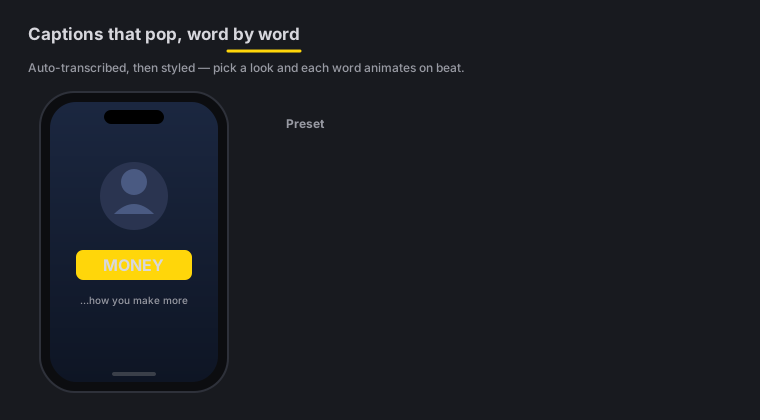
  • 9 viral caption presets with active-word highlight, SRT import and a transcript word editor
  • Caption translation into 19 languages, fully on-device via Apple Translation (iOS 18+)
  • English captions from any supported language, on the phone - speak Hindi, Spanish or বাংলা and caption in English without your audio leaving the device
  • 12 one-tap title templates with 16 kinetic entrances, plus Text Behind Subject and full-screen intro and outro cards
  • 19 callout types (including blur and pixelate-censor) and 16 overlay blend modes
  • 16 royalty-free music beds composed for Zella - lo-fi, phonk, amapiano, drill, desi pop, synthwave, sad piano, bossa and more, with Auto-Duck under your voice
  • Hear it before you place it - tap any bed or sound effect to audition, + to drop it on the timeline
  • Record a voiceover with the video rolling in front of you, then put any of the 16 voice changers on the take - and change your mind, because the raw recording is never overwritten
  • J/L audio cuts and per-clip volume, plus a searchable, categorised sticker tray that works with no signal
  • Named for people who have never edited: the tabs say Text/Titles and Arrows & Labels, the audio toggle says "Music gets quieter when you talk", and every delete answers "tap Undo to bring it back"
  • One-time tips that teach the two gestures nobody finds alone - drag the yellow edges to trim, drag your text on the video to move it - then never appear again
  • Title fonts you judge by looking: a 51-face grid with a big Aa in each face, five viral faces bundled in the app, favourites one long-press away, and the Lyric look that chips a single line
Ship it on iPhone
05 · SHIP

Ship it

  • Export MP4, MOV, GIF or M4A with TikTok / Reels / Shorts / YouTube / Instagram presets
  • Hand a project to the Mac app as a .zella file to finish on a bigger screen
  • Free exports run up to 2 minutes at up to 1080p, watermark-free - and 1080p is free forever
  • Pro lifts the length cap and adds 4K, transparent-background export (HEVC with alpha), 60 fps, custom bitrate and the multi-aspect queue - the same one-time purchase that unlocks the Mac

Counted, not rounded: 25 transitions · 42 colour looks plus .cube LUT import · 9 caption presets · 19 callout types · 16 blend modes · 12 title templates with 16 kinetic entrances · 16 voice changers · an AI Assistant with 71 editing actions, free on every tier.

Six columns. One of them is not ours to win.

Checked against each app’s own App Store listing, help centre and terms in July 2026 - never against a "best editors" blog post. Where a fact could not be verified from a primary source, the row was cut rather than guessed, and where a competitor wins, the row stayed in.

ZellaCapCutInShotVNLumaFusioniMovie
Your video and audio leave the device Never. There is no network path Yes. Label lists photos, videos and audio Not declared Not declared. Cloud captioning sold as credits Not declared Yes. Label lists photos, videos and audio
Tracked across other companies’ apps No Yes. Identifiers Yes. Identifiers No No No
Watermark on a free export Never, on any tier On templates, Pro assets and the end-card Yes, unless you watch an ad or pay No Paid app, so no No
What it costs to own outright $89 once. Mac and iPhone Subscription only $49.99 lifetime, or $4.99 a month $49.99, plus AI credit packs $29.99, plus four $19.99 add-ons Free
Where it runs iPhone, Mac iOS, Android, Mac, Windows, web iOS, Android iOS, Android, Mac iPhone, iPad, Mac, Vision, Android, ChromeOS iPhone, iPad, Mac
Automatic captions from your own speech Yes, on-device and verbatim Yes Yes Yes Not listed Not listed
Where every one of those cells came from
  • Privacy and tracking rows. Apple’s App Privacy label on each app’s App Store product page, which the developer files and Apple publishes. CapCut and iMovie both list User Content (photos or videos, audio data) under "Data Linked to You". CapCut and InShot both list Identifiers under "Data Used to Track You". VN and LumaFusion list nothing linked to you. Checked July 2026.
  • "Not declared" means that developer’s privacy label does not list photos, videos or audio among the data it collects. It is what the public record supports, and we are not dressing it up as a guarantee.
  • CapCut watermark. CapCut’s own help page on exporting without a watermark states that templates often carry a CapCut watermark at the end, that certain advanced templates, effects and stock elements add a watermark in the free version, and that CapCut automatically appends a short ending clip with the CapCut logo which you have to delete yourself. Plain edits with your own assets do export clean.
  • CapCut content licence. CapCut’s terms of service: submitting user content grants the company "a non-exclusive, royalty-free, transferable, sub-licensable, perpetual and worldwide licence to use your User Content". Checked July 2026.
  • InShot watermark. InShot’s own App Store listing describes the Pro subscription as removing watermarks and advertisements. Checked July 2026.
  • VN watermark. VN’s own App Store listing says it is free with no watermark. We are saying so plainly because it is true.
  • Prices. The in-app purchase list on each App Store product page, re-checked August 2026. InShot: $4.99 monthly, $19.99 yearly, $49.99 lifetime. VN: $6.99 and $49.99, plus credit packs from $1 to $10. LumaFusion: $29.99 for the app, four $19.99 add-ons (Speed Ramping & Keyframing, Multicam Studio, FCPXML Export, CoreMelt PaintX) and an optional Creator Pass at $9.99 monthly or $69.99 yearly. CapCut lists in-app subscriptions from $7.99 to $19.99 a month and a yearly at $89.99, and no one-time purchase - store prices vary by region and change often, so treat the shape (subscription) as the durable fact, not the number. iMovie is free with no in-app purchases.
  • Platforms. Each App Store listing’s requirements, plus CapCut’s own download-and-install help page for Android, Windows and web. LumaFusion’s current listing requires iOS, iPadOS, macOS and visionOS 26 or later, and LumaTouch also sells it on Google Play and the Chrome Web Store, so it is not Apple-only.
  • Captions. LumaFusion’s and iMovie’s product descriptions list no automatic captions, transcription or subtitles anywhere in their feature copy, which is why those cells read "Not listed" rather than a flat no.
  • Zella’s column describes the shipped iOS build. Zella collects nothing, so its App Store privacy label is the empty one: no data collected, no data linked to you, no tracking. Every claim in this column is something you can check on the listing itself.

And the things we could not find anywhere else

  • Caption translation into 19 languages with the network off. Apple Translation, on-device, iOS 18 and later. No primary source we could find describes another iPhone editor translating captions with no network path at all - if you know of one, tell us and we will correct this page.
  • Verbatim on-device transcription. WhisperKit keeps the "um" and the "uh" in the transcript, which is the only reason filler-word removal can find them. Politely cleaned transcripts cannot.
  • Keyless Auto B-Roll. Cutaway cards generated on the phone from your own caption keywords - no API key, no stock account, no network. Add a free Pexels or Pixabay key only if you want real stock footage.
  • Crash-safe segmented recording. A phone call or a flat battery mid-take costs you nothing. The segments are already on disk.
  • Transparent-background export on a phone. Pro exports HEVC with alpha on iPhone, so a background-removed clip drops straight onto a layer in any other editor.

Zella is not the right answer for everyone.

CapCut has the bigger library

More templates, more trending effects, more of that week’s sound - and it runs on Android, Windows and the web too. If your workflow is "find the template everyone is using and drop my clips in", CapCut is the better tool and we will not pretend otherwise. What you trade for it is on the table above.

LumaFusion goes deeper on iPad

For a genuine multi-track NLE on a tablet - many video and audio layers, frame-level control, an editor you drive by hand - LumaFusion is the more serious timeline. Zella is built to get a finished, captioned, posted video out of you fast, not to be the deepest timeline on iPadOS.

VN is honestly good, and honestly free

VN does not watermark free exports and its App Store privacy label lists nothing linked to you. It is the fair fight in this list. The differences that remain: Zella needs no account at all, sells no AI credits, and its captions, translation and cleanup never leave the phone.

  • It is available on the App Store. The app is built, universal and running on iPhone - the listing is still in Apple’s hands. Nothing on this page will hand you a download today, and we are not going to pretend otherwise.
  • Apple only. iPhone and Mac. No Android, no Windows, no web editor. If half your team is on a Pixel, this is the wrong tool for that team.
  • It edits what you shot. Zella cuts, captions, grades, reframes and cleans real footage. It does not generate a scene from a text prompt, and it will not invent people or places that were never in front of your lens.
  • The paid tier sells output, not intelligence. If what you need is a bigger trending-template library rather than a longer 4K export, the $89 is not for you and the free tier probably is.

Buy Zella once. Own it everywhere.

Zella Pro is a Universal Purchase - one $89 unlock covers your Mac and your iPhone. No subscription, no per-device fee, no cloud account. Free stays the complete editor with every AI feature on every device; Pro adds unlimited export length, 4K, transparent-background and 60 fps export, custom bitrate, the multi-aspect queue, saved templates and the depth toolset when you want them.

Start in your pocket. Hand it off to the Mac.

Record and rough-cut on iPhone, then hand the project to the Mac app as a .zella file to finish on a bigger screen - same timeline, same effects, nothing re-rendered in the cloud. Or export a platform-ready reel right from the phone and post it before you get home.

  • 01Record or import on iPhone
  • 02Auto-Polish, caption, reframe on-device
  • 03Export a reel - or hand off a .zella to the Mac

On iPhone now.

The app is out and native - download it free from the App Store. Zella Pro is a one-time Universal Purchase, so buying it on your iPhone also unlocks the Mac app the day it lands. No subscription, no account, no card taken by this site.

iPhone · iOS 18+ · One purchase unlocks Mac too · 100% on-device