iPhone vs Mac: Which to Use, and How They Work Together
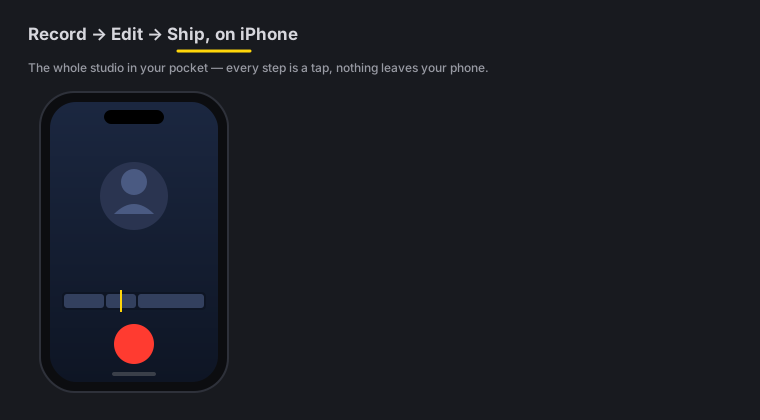
Quick answer: Reach for the phone to capture in the moment and cut a clip on the spot; reach for the Mac for long-form, precision work on a big screen. They’re the same studio - one Universal Purchase unlocks both - and projects hand off from the phone to the Mac as
.zellafiles, so you can capture on the phone and finish on the Mac.
On this page: pick a device · side by side · handoff both ways · one purchase · FAQ
Which device should I use?
Use the iPhone when:
- You need to capture right now - a moment, a demo, a talking-head clip on the go.
- You want to shoot and post from one device without a laptop.
- You’re doing a quick edit - trim, caption, Make Vertical, export.
Use the Mac when:
- You’re doing long-form or precise work and want a big screen, mouse and keyboard.
- You want the most room for keyframes, color and multi-track detail.
- You’re finishing a project you captured on the phone.
Neither is “the lite version” - it’s the same on-device studio, sized for the device you’re on.
Side by side
| iPhone | Mac | |
|---|---|---|
| Best for | Capturing on the go, quick cuts, posting from one device | Long-form, precision editing on a big screen |
| Capture | Camera (front/back), screen + whole-device broadcast, import | Screen, region, window, camera, webcam bubble |
| Reusing an old take | Add → Clip from another project pulls a recording out of any other project, no export step | The Library holds every recording and project in one place |
| Input | Touch | Mouse, keyboard, shortcuts |
| AI | Auto-Polish (silences + fillers, voice polish, music - never a colour grade or captions; captions are one tap), Make Vertical, Make it a reel, transcript editing, editable background removal, Auto B-Roll cutaways, Beat Sync, on-device caption translation, and the AI Assistant (74 actions) | All of the same AI, with more room for precision work on a big screen - plus a wider AI Assistant (104 actions). |
| Titles & fonts | The same 85 text animations (In / Loop / Out); tap a tile to see it move. Import your own fonts from Files | The same 85, with hover previews on the Text tab; titles also animate over still images. Import fonts from a title’s Font grid or the Captions font menu, or drag them in |
| Colour looks | 92 base looks; each keeps skin tones and white pages natural and renders as it does on the Mac (guide) | 93 base looks (the same catalogue plus Pop), with the same skin and whites protection |
| Hide secrets | ”Blur the access token” in the Assistant reads the screen on-device and blurs it (guide) | The same. On both, the Assistant can also place a blur box at an exact spot and time |
| On-device | 100% | 100% |
| Free | Complete editor + all the AI, watermark-free. Export ≤ 2 min at ≤ 1080p | Identical - same editor, same AI, same ceilings |
| Pro deltas | Unlimited length · 4K · transparent export (HEVC with alpha) · 60 fps · custom bitrate · multi-aspect queue · saved templates · depth toolset | The same six, plus 8K; transparent export is ProRes 4444 with alpha |
| Founder grades | Teal & Orange, Kodak, Noir | Teal & Orange, Kodak, Noir |
| Pro | Universal Purchase - one unlock covers both | Universal Purchase - one unlock covers both |
Both cut, caption, grade, reframe and export entirely on-device. See the iOS overview and the Mac overview.
How they work together
Projects move phone → Mac as .zella files:
- Phone → Mac - capture and rough-cut on the phone, then export a
.zellafile and open it on the Mac to finish with a mouse and keyboard. Any fonts you imported for its titles and captions travel inside the file. - Mac → phone is not supported yet. The iPhone app has no way to open a
.zellafile, so plan the trip in that one direction.
Your timeline, cuts, captions and effects travel with the file, so you never restart - you just pick up where you left off on whichever device is in your hand.
One purchase, both devices
Zella Pro is a Universal Purchase: one payment unlocks Mac and iPhone at once - the same one-time $89, no subscription and no per-device fee. And on both devices, Free is the same generous thing: unlimited recording, the complete editor and all the AI - including the AI Assistant and Auto B-Roll - with watermark-free export up to 2 minutes at up to 1080p. 1080p is free forever. Pro adds the same six deltas on every device, so nothing you learn on one is missing on the other.
iPhone vs Mac FAQ
Is the phone app a cut-down version of the Mac? No - it’s the same on-device studio, rebuilt for touch. The main difference is screen size and input, not capability.
Can I start on my phone and finish on my Mac?
Yes. Export a .zella file from the phone and open it on the Mac; your whole project comes across.
Does it work the other way - Mac to phone?
Not yet. Handoff is phone to Mac only: the iPhone app can write a .zella file but cannot open one.
Do I buy Pro twice? No. Pro is a Universal Purchase - one payment covers Mac and iPhone.
Which should I use for a TikTok? Usually the phone - capture, Make Vertical, caption and export in a few taps. Use the Mac if you want to fine-tune on a big screen first.
Pro tips & gotchas
- Capture on the phone, finish on the Mac for anything long or fiddly - the
.zellahandoff carries your edit over. - One Pro covers everything. Buy it once and 4K plus the power tools unlock on all your Apple devices.
- Free is watermark-free on both - you can ship a finished clip without ever paying.
- Same file format both ways, so there’s no lock-in to a single device.
Related: iOS getting started → · Export & handoff → · On-device AI → · Mac getting started → · Pricing → · iPhone page →