Royalty-free music means you pay once or subscribe and then owe no per-play royalties, but the track still has a copyright owner, so the license itself has to say commercial use is covered. The YouTube Audio Library, Pixabay Music and Uppbeat clear commercial use for free; Epidemic Sound, Artlist, Musicbed and Soundstripe are the paid standards. Then mix the track under your voice, which Zella's Auto-Duck does on-device.
The short answer
Pick music from a library that states plainly that its license covers commercial use, keep proof of that license, then mix the track so it stays under your voice.
For free options that clear commercial use without triggering copyright strikes, the safest picks in 2026 are the YouTube Audio Library, Pixabay Music, and Uppbeat. For larger catalogs and cleaner paperwork, the paid standards are Epidemic Sound, Artlist, Musicbed, and Soundstripe.
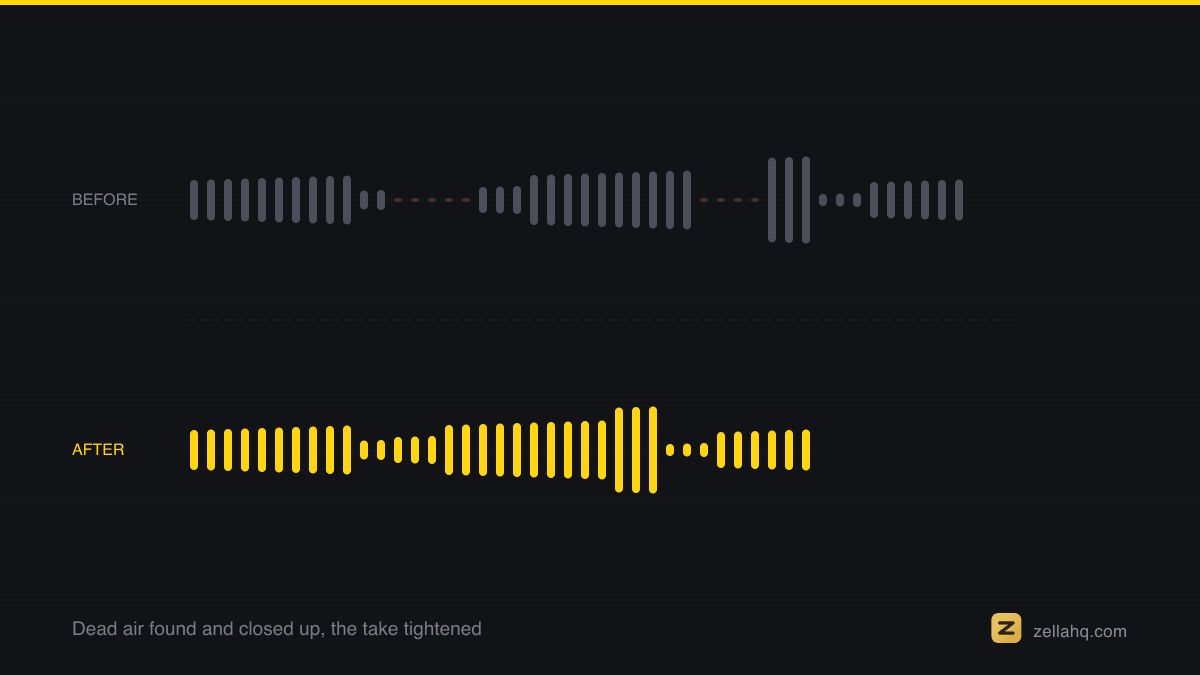
Choosing the track is only half the job. The mix is the other half, and Zella handles it on your device: Auto-Duck drops the music by about 13 dB the moment you speak and swells it back in the gaps, with nothing uploaded.
Licensing, explained without the legalese
The vocabulary here is genuinely slippery, so here is the plain version. This is general information, not legal advice; when a contract or a big client is involved, read the actual license.
- Royalty-free does not mean free. It means that after you obtain the license (a one-time fee or a subscription), you do not owe ongoing per-play or per-view royalties. The track still has a copyright owner; you are paying for permission to use it. This is the model most stock-music libraries use.
- Copyright-free means there is no active copyright to clear, either because the work is in the public domain or the creator released it under a CC0 (Creative Commons Zero) dedication. In principle you can use it freely, forever, with no permission.
- Creative Commons is a set of standardized public licenses. The work is still under copyright, but the creator grants use under conditions. CC BY requires you to credit the artist. Some CC licenses restrict commercial use (NC) or forbid edits (ND). Always read which flavor a track carries.
Two more distinctions matter for commercial work:
- Commercial vs personal use. Many free tracks are fine for a personal vlog but not for an ad, a client project, or anything selling a product. A commercial project means the video promotes a business or is monetized on behalf of one. Confirm the license explicitly allows that; some libraries gate commercial use behind a paid tier.
- Attribution. Some free tracks require you to credit the artist (usually in the description). If you cannot or will not add a credit, filter for "attribution not required" tracks or use a library that never requires it.
Content ID: a valid license is not a force field
This trips up a lot of creators. On YouTube, the automated Content ID system scans uploads for registered music. A Content ID claim is not a copyright strike, but it can redirect your ad revenue to the rights holder or, in some cases, block the video.
The key insight: having a valid license does not stop Content ID from flagging a track. It gives you the right to dispute the claim if one appears. That is why documentation matters. Keep your download receipt or license certificate.
To avoid the hassle entirely, the YouTube Audio Library is the cleanest choice: music downloaded from it will not be claimed through Content ID. Libraries like Uppbeat also offer channel whitelisting so their tracks clear on your connected accounts. If you want zero risk of a claim, start there.
Free sources for commercial video
| Source | Cost | Commercial use | Attribution | Notes |
|---|---|---|---|---|
| YouTube Audio Library | Free | Yes | Most tracks none; some CC BY need credit | Cleanest for YouTube; not Content ID claimed |
| Pixabay Music | Free | Yes | None required | Community catalog, no account needed to use |
| Uppbeat (free tier) | Free | Yes | Required on free tier | 10 downloads per month; whitelisting across platforms; Premium removes limits |
These three are the practical free stack. A realistic note: free catalogs are smaller and the popular tracks get overused, so your video may sound like everyone else's. Filter carefully and preview on the actual edit.
Paid subscriptions for bigger catalogs and cleaner licensing
When you need scale, variety, or airtight paperwork for client and broadcast work, a subscription is worth it. Prices move; verify before buying.
| Service | Rough 2026 price | Strengths | Notes |
|---|---|---|---|
| Epidemic Sound | Personal around $9/mo; Commercial around $49/mo (less billed annually) | Large 50,000-plus track catalog, stems included, affordable entry | Commercial tier needed for business use |
| Artlist | Around $199/year for the standard music tier | Broad licensing across YouTube, streaming, ads, festivals, broadcast | Good when licensing or reselling the finished video |
| Musicbed | Around $17/mo or $120/year | Premium, cinematic catalog; simple licensing | Sits between Epidemic and Artlist on quality and price |
| Soundstripe | Creator tiers roughly $15 to $25/mo | Team plans, plus stock footage and SFX | Good for collaborators and mixed asset needs |
How to choose: for high-volume social and marketing content, Epidemic Sound is the affordable default. For premium, cinematic scores and simple licensing, Artlist or Musicbed. For teams that also need footage and effects, Soundstripe. Whatever you pick, save the license record with each project file.
After you pick a track: mix it under your voice
Choosing music is half the job. A track at full volume will bury your narration; the fix is ducking, automatically dropping the music whenever you speak and bringing it back in the gaps.
In Zella this is built in and runs on-device:
- Add a music track to your project alongside the recording, under the Audio button in the timeline.
- Turn on Auto-Duck. The music dips under your voice and swells back automatically, so the words stay clear and the track fills the pauses. See audio and Auto-Duck.
- Polish the voice on the same pass. Polish Voice handles noise removal, de-essing, compression and loudness normalization on the mic. If the room itself is noisy, work through remove background noise from a video first, then lay the music on top.
Because it is all local, nothing uploads and there is no per-minute processing fee. The free plan exports 1080p up to 2 minutes, watermark-free; a one-time Pro purchase ($89, no subscription) adds unlimited export length, 4K (plus 8K on the Mac) and the depth toolset. See pricing.
Frequently asked questions
Can I use any royalty-free track in a paid client video? Only if the license explicitly allows commercial use for that scenario. Some free tiers cover personal use only, and some paid libraries have separate commercial tiers. Read the license and keep the receipt.
Do I have to credit the artist? It depends on the track. Public-domain and CC0 music needs no credit. CC BY and many free-tier tracks require attribution. Libraries like the YouTube Audio Library let you filter for tracks that need no credit.
Why did YouTube flag my licensed music? Content ID detects registered tracks regardless of your license. The license lets you dispute the claim; it does not prevent detection. To avoid claims entirely, use the YouTube Audio Library or a service that whitelists your channel.
Is free music good enough for a professional video? Often yes, especially from Pixabay, Uppbeat, and the YouTube Audio Library. The trade-offs are smaller catalogs and more overused tracks. For distinctive or cinematic scoring, a paid subscription gives you more range.
Does Auto-Duck replace a proper audio mix? For most talking-head and voiceover videos, Auto-Duck gets you a clean, professional balance automatically. You can still fine-tune levels manually if a specific moment needs it.
Sources: YouTube Audio Library and attribution rules 2026 (vidIQ).
Make your next video with Zella.
Record, edit and ship on Mac and iPhone - local, private, free to start.
PART OF A SERIES
Music and auto-ducking
A bed under your voice that gets out of the way on its own, and where to get one.
- How to add music to a video on iPhone (and keep your voice clear)
- Audio Ducking: How to Lower Music Under a Voiceover
- Royalty-Free Music for Commercial Video Use (2026 Guide)you are here
All of it lives under Sounds & Audio.
RELATED