Retention editing is the practice of cutting a video so viewers keep watching instead of scrolling away. The core moves are: hook hard in the first three seconds, remove every pause and filler word, cut or change the visual every 2 to 4 seconds, burn in captions, and vary the frame with zoom punch-ins and b-roll. On short-form video, 50 to 60 percent of viewers who leave do so in the first three seconds, so front-load your best material.
Retention editing is the practice of cutting a video specifically to hold attention - removing anything that gives a viewer a reason to leave, and adding change often enough to reset their attention. The essentials: hook in the first three seconds, delete dead air and filler words, change the visual every 2 to 4 seconds, add burned-in captions, and use zoom punch-ins and b-roll to keep the frame moving.
It matters because attention is front-loaded and brutal. Third-party analyses of large Shorts samples put 50 to 60 percent of all drop-off inside the first three seconds; no platform publishes the figure, so treat the exact number loosely. You can confirm the pattern on your own channel in a minute, though - a retention graph that falls off a cliff in its opening seconds is the most common shape there is. Whatever survives that window is what your edit needs to protect.
What is audience retention, and what is a good number?
Audience retention is the percentage of your video that the average viewer actually watches. A retention graph that stays high and flat means people are staying; a cliff means they left at that moment.
First, the honest caveat about benchmarks. No platform publishes one. YouTube documents what the audience retention report measures and what its shapes mean, and defines average view duration as the average minutes watched among those who stayed to watch - but it deliberately publishes no target percentage, and its advice is to compare your 10 most recent videos of similar length instead. TikTok publishes nothing at all. So every benchmark table on the internet, including this one, is a creator-community aggregate.
Used as a rough sanity check rather than a pass mark, the commonly cited figures are:
| Platform / length | Good | Strong | Exceptional |
|---|---|---|---|
| YouTube Shorts (first 3 sec) | 80%+ hold | - | - |
| YouTube Shorts (avg % viewed) | 70%+ | - | - |
| TikTok (under 15 sec) | 60-70% | 75%+ | 85%+ (replays) |
| Instagram Reels (under 15 sec) | 65%+ | 75%+ | 80%+ |
| Any video under 2 min | 50-70% avg view duration | - | - |
The reason no platform will commit to a number is that content type moves it more than quality does. A 20-second joke and a 20-second tutorial have different natural curves, and neither is doing anything wrong.
Which is why the graph beats the benchmark. Read your own retention curve like a diagnosis - YouTube names four shapes worth recognising: flat stretches where people watch straight through, gradual declines as interest fades, spikes where people rewatched something, and dips where they skipped. An immediate drop means the hook is wrong. A drop right after the intro means your opening promised something the video did not deliver. A sagging middle means the structure needs tightening.
How do I hook viewers in the first three seconds?
You have less than three seconds before most viewers decide to stay or swipe. Waste none of it on a slow intro, a logo animation, or "hey guys, welcome back."
Techniques that work:
- Bold claim. State the payoff immediately ("This one setting doubled my export speed"). Bold claims signal instant value and drive faster early retention for channels without a personal brand (OpusClip).
- Curiosity gap. Open a loop the viewer needs closed ("I almost deleted this recording - here's why I'm glad I didn't").
- Cold open on the result. Show the finished thing first, then explain how you got there.
Reinforce the spoken hook with an on-screen text overlay. Industry estimates put well over half of mobile viewing on mute - the exact share varies by whoever measured it - so the text has to carry the hook on its own.
Why does removing dead air matter so much?
Dead air is any moment where nothing is happening - a pause, an "um," a breath before a sentence, a beat of silence while you think. Each one is an exit ramp. Cutting them out is the single highest-leverage retention edit, because it raises the density of value in every second.
The manual way is to scrub the timeline, find every gap, and ripple-delete it. That is slow. On-device tools can now detect and remove silences and filler words automatically. Zella's one-click cleanup removes silences and filler words, and there is a step-by-step walkthrough in how to remove filler words from a video on Mac.
Do not over-cut, though. Leave a fraction of a second of breath after a punchline or a key point so it lands. The goal is tight, not frantic.
How often should I cut or change the visual?
Aim for a visual change every 2 to 4 seconds. High-performing Shorts tend to average roughly one cut every 2 to 4 seconds - a creator-community observation rather than a published figure - because each change resets attention.
A "change" does not always mean a hard cut. Your toolkit:
- Jump cut - remove a chunk of time in the same shot. The workhorse of talking-head editing.
- Zoom punch-in - snap tighter on the subject to emphasize a point. Great for the moment a claim lands.
- Angle or shot change - cut to a different framing.
- B-roll - cut away to supporting footage while the audio continues.
Use the change to match the content: punch in on emphasis, cut away to b-roll when you are explaining something the viewer should see, and jump-cut through everything else.
When should I use zoom punch-ins?
Use a zoom punch-in exactly when you want the viewer to lean in - the key claim, the surprising number, the "here's the trick" moment. It signals importance without a word.
For screen recordings, the most useful version is an auto-zoom that follows the cursor or a click, so the viewer's eye is guided to the exact spot you are talking about. Zella's auto-zoom punches in on clicks automatically during Auto-Polish; there is a dedicated guide in auto-zoom for screen recordings on Mac. Avoid zooming on every sentence - if everything is emphasized, nothing is.
Do captions actually improve retention?
Yes, measurably. With 80 percent of social video watched without sound (OpusClip), captions are how most people follow along at all. Third-party measurements put the watch-time gain from subtitles or on-screen text at around 18 percent. Treat the number loosely; the direction is not really in doubt, and you can confirm it on your own channel by comparing captioned and uncaptioned uploads in the retention report.
Best practices for retention captions:
- Burn them in (do not rely on the platform's optional captions).
- Keep them centered and lifted off the bottom-right so the app's buttons do not cover them.
- Use short phrases synced to speech, not long paragraphs.
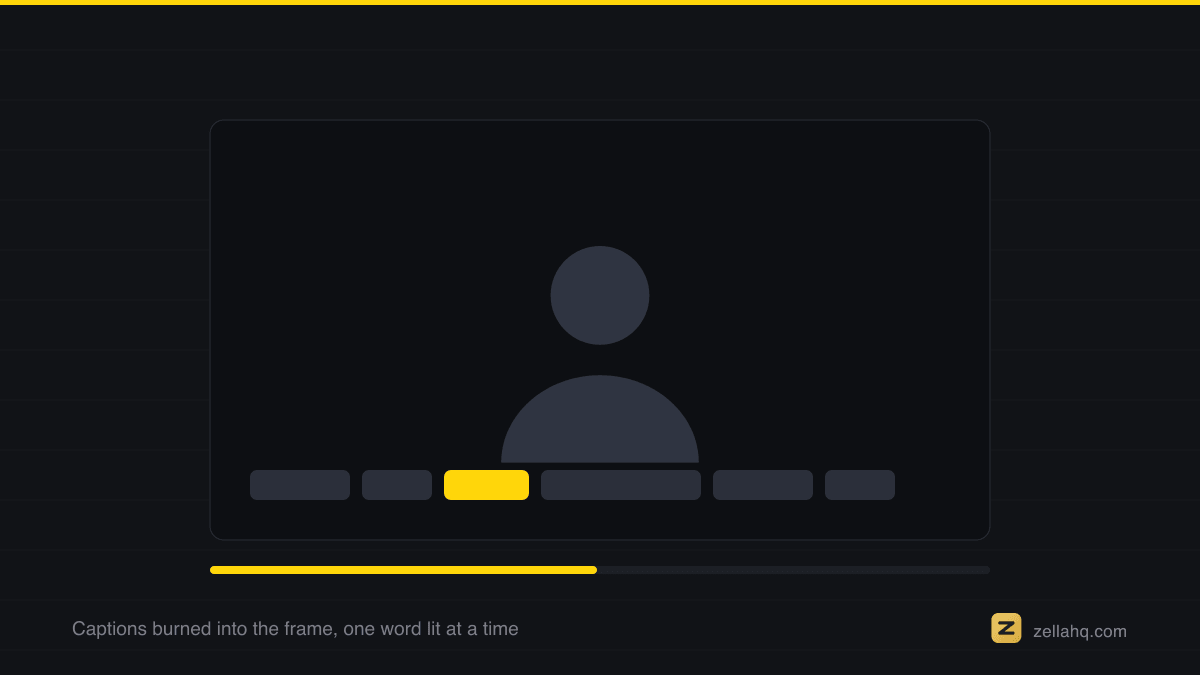
On-device caption tools generate these automatically from your audio. Zella creates word-level captions on-device from 9 presets, with the spoken word highlighted as it lands, so there is no upload and nothing leaves your device.
What is a pattern interrupt and when do I use one?
A pattern interrupt is a deliberate, sharp change - a sound effect, a hard zoom, a color flash, an unexpected cut - that resets a drifting viewer's attention. Because attention decays, high performers insert one every few seconds as a small novelty spike.
Use pattern interrupts at natural energy dips: the transition between two points, or anywhere your retention graph shows a soft decline. Also pair music with your narration. Third-party comparisons put the completion gain from a music bed in the mid-teens of percent; treat that as directional, since what counts as "with music" varies wildly between samples.
How do I use b-roll without losing the thread?
B-roll is supporting footage that plays while your main audio continues - a screen recording of the feature you are describing, a product shot, an example. It keeps the visual moving during stretches where a static talking head would flatten retention.
Use it whenever you are describing something concrete the viewer would benefit from seeing. Cut to it on the word that introduces it, and cut back before it overstays.
The retention editing checklist
Run every clip through this before you publish:
- Does the first three seconds state a payoff or open a curiosity gap?
- Is the hook also on screen as text?
- Have you removed every pause, "um," and dead beat?
- Is there a cut, zoom, or visual change at least every 2 to 4 seconds?
- Are captions burned in and inside the safe zone?
- Are zoom punch-ins reserved for the moments that matter?
- Is there b-roll wherever you describe something visual?
- Does music underlay the narration?
Frequently asked questions
What is retention editing?
Retention editing is cutting a video specifically to keep viewers watching - removing anything that invites them to leave (pauses, filler, slow intros) and adding frequent change (cuts, zooms, b-roll, captions) that resets attention.
What is a good retention rate for short-form video in 2026?
For clips under 15 seconds, creators generally treat roughly 60 to 70 percent as good on TikTok, 65 percent-plus on Instagram Reels, and 70 percent-plus average view for YouTube Shorts, with a target of holding above 80 percent through the first three seconds. Those are community aggregates, not platform figures - YouTube publishes how retention is measured but no target, and recommends judging a video against your own recent uploads of similar length.
How often should I cut in a short video?
About one visual change every 2 to 4 seconds. That includes hard cuts, zoom punch-ins, angle changes, and b-roll cutaways - not just hard cuts.
Do captions really increase watch time?
Yes. With around 80 percent of social video watched on mute, burned-in captions are essential, and Shorts with on-screen text see roughly 18 percent more watch time (OpusClip).
How do I remove dead air quickly?
Manually you ripple-delete each pause on the timeline, which is slow. On-device tools can detect and cut silences and filler words automatically in one pass - see how to remove filler words from a video on Mac.
What is a pattern interrupt?
A deliberate sharp change - a sound effect, hard zoom, or unexpected cut - inserted to reset a viewer's drifting attention. Use them at energy dips and before slower sections.
Edit for retention in one pass
Most of this checklist can happen automatically. Zella is a native screen recorder and AI editor that runs 100 percent on-device: Auto-Polish removes silences and filler words, auto-zooms on clicks, cleans the voice and lays a ducked music bed, and one more click generates captions from 9 presets - 1080p export free, up to 2 minutes, watermark-free. It never applies a colour grade, so the look stays yours. You are left with a tight, caption-ready cut to add your hook and b-roll on top. Zella is on the Mac App Store today; Zella for iPhone is on the App Store.
Make your next video with Zella.
Record, edit and ship on Mac and iPhone - local, private, free to start.
RELATED