To turn a podcast into short viral clips, pull the 5 to 10 strongest self-contained moments from the episode, cut each to a 21 to 34 second window, reframe to vertical 9:16 with the active speaker centered, burn in word-level captions, and lead with the punchiest line in the first 3 seconds. One good episode reliably yields 5 to 10 postable clips - a week or two of short-form from a recording you already made.
To turn a podcast into short viral clips, pull the 5 to 10 strongest self-contained moments from the episode, cut each to a 21 to 34 second window, reframe it to vertical 9:16 with the active speaker centered, burn in word-level captions, and lead with the punchiest line in the first 3 seconds. One good episode reliably yields 5 to 10 postable clips - a week or two of short-form from a recording you already made.
Podcasts are the best-value source for short-form because the hard part is done: the ideas, the guest, the tension, the quotable lines. Your job is not to create - it is to harvest. Below is the exact loop, plus what changes when your podcast is video versus audio-only.
Which podcast moments actually go viral?
Scan for moments that stand completely on their own - a stranger should understand them with zero setup. The best clips share three traits:
- A complete thought. One idea, start to finish, no "as I was saying earlier."
- Tension or surprise. A hot take, a disagreement between hosts, a myth busted, a number that lands.
- A first line that doubles as a hook. If the opening sentence works as on-screen text, you have a clip.
The gold is usually in answers, not questions: the guest's sharpest reply, the story with a turn, the one-liner the host repeats back. A rambling two-hour episode with three great exchanges makes three clips, not thirty - chase the 5 to 10 genuinely strong moments and drop the rest.
Apple's Final Cut Pro user guide is worth ten minutes if levels and headroom are new, not least for why a correct peak is not the same as a good mix.
Reframing that keeps a face centred uses Apple's Vision framework; the detection happens locally, which is what lets the crop keep up without a round trip.
Turn a podcast into short clips, step by step
- Read the transcript, don't re-listen. Reading is far faster than scrubbing audio, and every strong clip starts as a strong sentence. Most podcast hosts generate a transcript for you, and YouTube auto-captions the video version; failing that, any on-device transcription gets you a searchable text file. Flag 8 to 12 candidates so you can cut the weak ones later.
- Cut each moment tight. Trim to a single idea. The reliable sweet spot for a hooky clip is a 21 to 34 second window - long enough for a payoff, short enough to finish. Start on the strong sentence; end the instant the point lands.
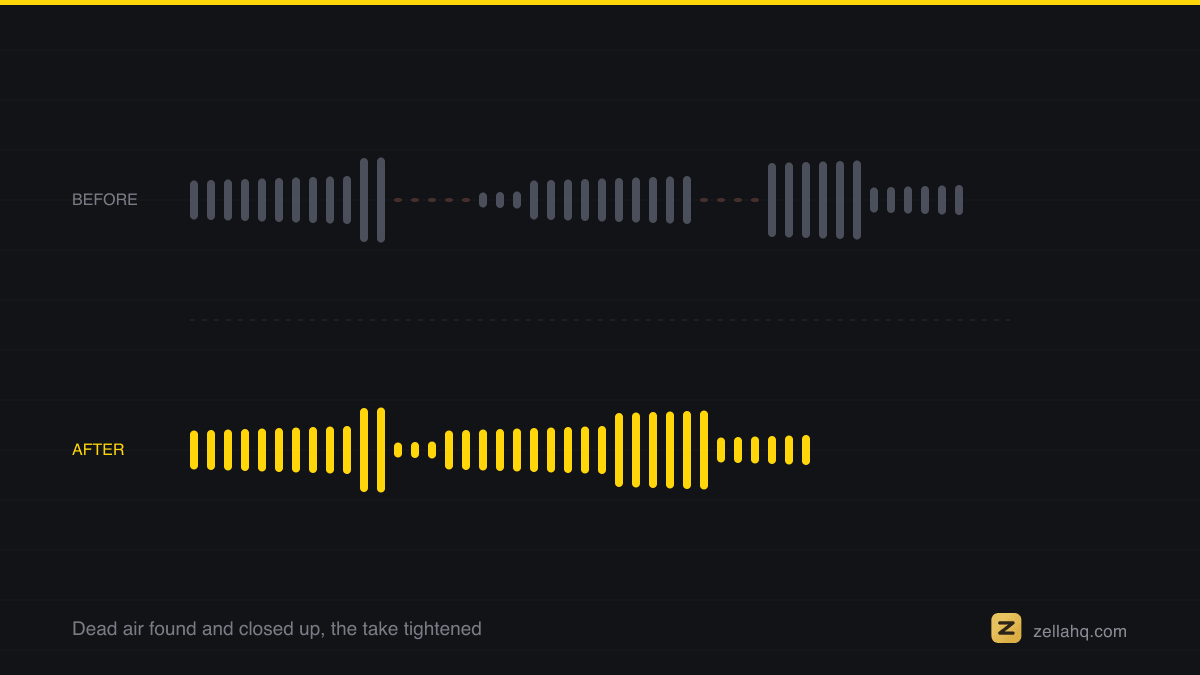
- Remove silences and filler inside the clip. Cutting the ums, dead air, and cross-talk tightens pacing and often shaves 20 to 40 percent off the runtime. This is where most of your energy lift comes from.
- Reframe to vertical 9:16. Podcasts are shot wide or as a two-box; shorts are vertical. Reframe and keep the active speaker centered - a static crop that chops off a head kills good clips. Face tracking that follows whoever is talking solves this.
- Burn in word-level captions. Roughly 85 percent of short-form is watched on mute, so captions aren't optional - they directly lift the completion rate every algorithm ranks on. Word-by-word captions read best.
- Lead with a hook in the first 3 seconds. The opening frame decides whether the clip is watched at all. Put the boldest line as on-screen text over the first 3 seconds, and reorder so the strongest sentence comes first.
- Batch-export and space them out. Export all your clips at once, then schedule them across a week or two. Five to ten clips is a content calendar, not a single dump.
Video podcast vs audio-only: what changes
If you filmed the episode, you already have faces: clip, reframe to whoever is talking, and go. Audio-only takes one extra decision, because a 9:16 frame needs something to look at.
| Video podcast | Audio-only podcast | |
|---|---|---|
| Source frame | 16:9 wide shot or a two-box | No image at all |
| Vertical fix | Track the active speaker, or stack both faces | Waveform or cover art behind animated captions |
| Alternative | Cut between speakers on each line | Film a short talking-head reading the line, original audio underneath |
| What carries the clip | Faces plus captions | Captions, almost entirely |
Either way the captions do the heavy lifting, so size them to be readable at arm's length on a phone.
For the bigger picture on cutting any long recording, see how to turn one long video into 10 short clips. If you haven't recorded yet, how to record a video podcast on Mac covers capturing both speakers cleanly.
Frequently asked questions
How many clips can I get from one podcast episode? A realistic, sustainable range is 5 to 10 clips per episode, more for a long, dense two-hour show. Aim for the genuinely strong moments - publishing 30 weak clips trains the algorithm to show your account to fewer people, while 5 to 10 sharp ones build momentum.
How long should a podcast clip be? Keep the hooky ones in a 21 to 34 second window. A single punchy line can work at 15 seconds; a story with a setup and payoff can stretch toward 60. Under a minute is the rule for TikTok, Reels, and Shorts.
Do I need captions on podcast clips? Yes. With about 85 percent of viewers watching on mute, a clip without captions is a clip most people scroll past. Burn word-level captions into every export.
Can I make clips from an audio-only podcast? Yes - pair the audio with animated captions over cover art or a waveform, or record a short talking-head reading the line. The captions carry it, so size them to be readable at a glance.
How do I pick the best moments without watching twice? Work from the transcript. Mark every sentence that stands alone and has tension, a number, or a strong opinion. Reading the episode once and flagging 8 to 12 candidates is faster and more accurate than re-listening.
Do it in Zella
Zella runs the whole podcast-to-clips loop on-device - no account, no subscription, nothing uploaded. The Mac app is on the Mac App Store today; Zella for iPhone is on the App Store, and one Pro purchase covers both.
- Open the episode in Zella. On a fresh recording Auto-Polish runs on its own: emphasis zooms, silence and filler cuts, noise removal and voice polish. Word-level captions are one more click. It deliberately leaves your colour alone.
- Trim to your first moment, then reframe to 9:16. The one-click reframe does centre-crop, a manual offset, or Vision face-detection auto-tracking, so the frame follows whoever is talking. On iPhone, Make Vertical is a single tap.
- Tap Make it Viral for the full ready-to-post pass on that clip: everything Auto-Polish does, plus brighter colour and a matched sound effect under the strongest cuts.
- Export, then repeat for the next moment.
The free plan is watermark-free with unlimited recording, the full editor and every AI feature, exporting up to 2 minutes at 1080p, which covers essentially any short. A one-time $89 Pro unlock adds unlimited export length, 4K, and the multi-aspect queue that renders one edit at every aspect in a single pass. Download Zella and turn your next episode into a week of posts.
Make your next video with Zella.
Record, edit and ship on Mac and iPhone - local, private, free to start.
PART OF A SERIES
Repurposing one video into many
Turning a long recording into the clips that actually get posted.
- How to Repurpose One Long Video Into 10 Short Clips (2026)
- How to repurpose a webinar into short clips, step by step
- How to turn a podcast into short clips for TikTok and Reelsyou are here
- How to Make a Highlight Reel or Sizzle Reel (2026 Guide)
All of it lives under Ship Everywhere.
RELATED