To turn a long video into 10 short clips, find the 10 strongest self-contained moments, cut each to 20 to 60 seconds, reframe to vertical 9:16, add captions, and put a hook in the first 3 seconds. Teams with a systematic workflow reliably pull 8 to 15 clips from every hour of footage, and automating the trimming, reframing and captioning turns an afternoon into roughly 30 minutes.
The short answer: pick the 10 best moments in your long video, cut each one to 20 to 60 seconds, reframe it to vertical 9:16, add captions, and lead with a hook. That is the entire repurposing loop, and it runs the same way whether the source is sitting on your Mac or on your iPhone. A systematic workflow typically yields 8 to 15 short clips per hour of long-form source, and automating the repetitive parts is where the large time savings come from - tool vendors quote 70 to 90 percent - turning what used to be a multi-hour manual job into roughly a 30-minute pass.
Which long videos are worth repurposing?
Any recording with several distinct, self-contained ideas. Webinars, podcasts, interviews, live streams, tutorials and demos all contain moments that stand alone once you take the surrounding context away. The best source clips share three traits:
- A complete thought that makes sense with zero setup.
- A moment of tension, surprise, a strong opinion, or a clear tip.
- A natural first line that can double as a hook.
A rambling 45-minute screen-share with one good tip buried in it will produce one clip, not ten. A tight interview with ten sharp answers will produce ten. Choose your source with the harvest in mind.
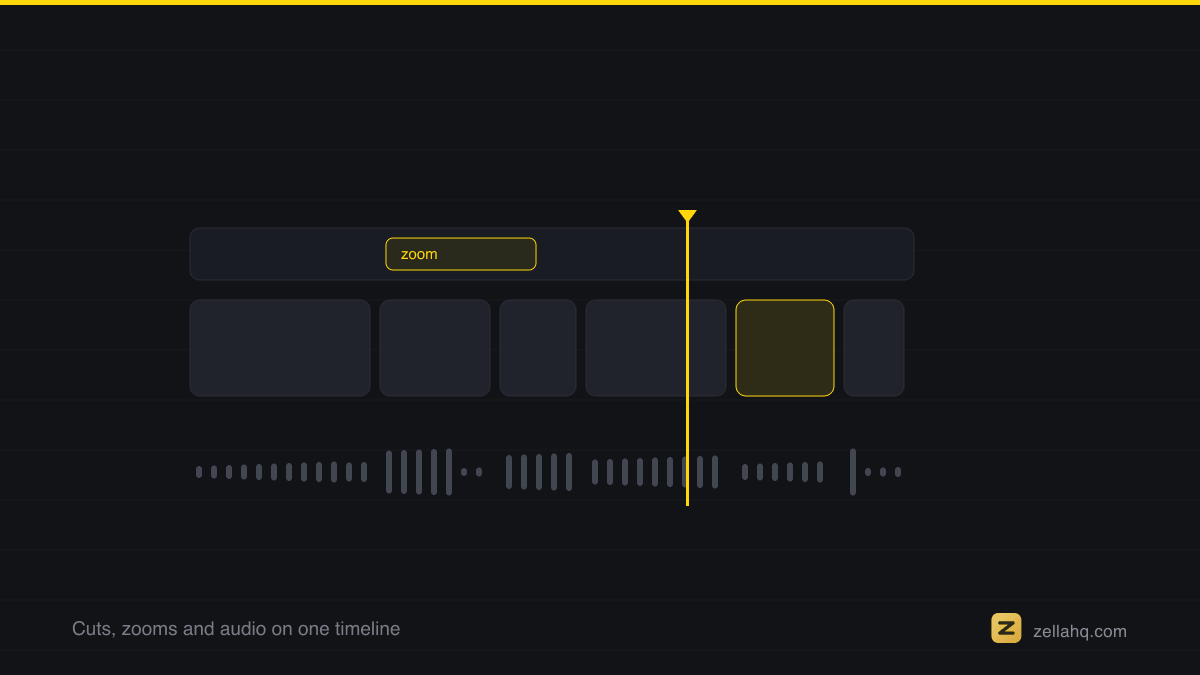
Face-aware reframing is built on Apple's Vision framework, which runs the detection locally so the crop can follow a speaker without a cloud round trip.
Step by step: how to turn one long video into 10 short clips
1. Find the moments (do not watch the whole thing twice)
Scan the transcript, not the timeline. Reading is faster than re-watching, and every strong clip starts as a strong sentence. Mark every spot where the speaker makes a point that stands on its own. Aim to flag 12 to 15 candidates so you can drop the weak ones, and target 5 to 10 genuinely good clips rather than 30 mediocre ones. Quality of selection is the single biggest lever in the whole workflow.
2. Cut each moment into a clip
Trim each candidate to one idea. The range most creators settle on is 30 to 60 seconds, though a punchy single-line moment can be as short as 15. No platform publishes an ideal length - what they weigh is the proportion watched, which is a ratio rather than a duration. Cut in tight: start on the strong sentence, end the instant the point lands. Then remove the silences and filler words inside the clip - this is where most of your pacing lift comes from, and it often shaves 20 to 40 percent off the runtime.
3. Reframe to vertical (9:16)
Long-form is usually shot 16:9 or on a desktop; TikTok, Reels, and Shorts are vertical. Reframe each clip to 9:16 and keep the speaker centered - a static center-crop that chops off the subject's head kills otherwise good clips. Automatic face tracking solves this by following the subject as they move.
4. Add captions
Most short-form is watched on mute, so on-screen captions are not optional - they directly lift the completion rate that every algorithm ranks on. Burn word-level captions into every clip.
5. Write a hook for the first 3 seconds
The opening frame decides whether the clip is watched at all. A widely-repeated figure holds that around 65 percent of people who watch the first three seconds stay for at least ten. It is a third-party number and it circulates without a traceable methodology, so read it as a description of how steep the early drop-off is rather than as a measurement. Add a bold on-screen text hook - the promise or the payoff tease - over the opening of each clip. Reorder if needed so the strongest line is first.
6. Batch-export and schedule
Export all ten at once in vertical resolution. Then space them out - ten clips from one recording is a week or two of posts, not a single dump.
How many clips should one long video produce?
Between 8 and 15 per hour of footage is the realistic, sustainable range. A single 60-minute webinar can realistically yield 10 to 15 targeted short videos. Resist the urge to squeeze out 30 - aiming for the 5 to 10 genuinely valuable clips beats publishing 30 mediocre ones, because weak clips train the algorithm to show your account to fewer people.
| Source length | Realistic clip count | Best clip length |
|---|---|---|
| 15 to 20 min talk | 3 to 5 clips | 20 to 45 seconds |
| 30 min interview | 5 to 8 clips | 25 to 50 seconds |
| 60 min webinar or podcast | 8 to 15 clips | 30 to 60 seconds |
How do you do this fast on a Mac or iPhone?
The manual version of this workflow - scrubbing a timeline, cutting each clip, re-cropping to vertical, hand-typing captions ten times - is what eats the afternoon. Automating the repetitive parts is where the large time savings come from - vendors quote 70 to 90 percent, which is a sales figure, though the direction matches what anyone who has cut clips by hand would expect.
Zella is a native screen recorder and editor built for exactly this loop, and it runs 100 percent on-device, so none of your footage uploads anywhere. It is on the Mac App Store today; Zella for iPhone, which runs the same cut-and-reframe pass on a phone, is available on the App Store. A practical Zella pass looks like this:
- Open your long recording (or record a fresh one) in the editor.
- Let Auto-Polish run on each clip you cut: it removes silences and filler words, auto-zooms on the key moments, cleans up the voice and lays a ducked music bed - steps 2, 4, and part of 5 in one action. It leaves your colour untouched, so a colour look is yours to pick.
- Use one-click reframe to 9:16 with face tracking to make each clip vertical without losing the speaker (step 3).
- Style the on-screen text with captions and callouts - 10 caption presets on Mac and 9 on iPhone are built in - to add your hook (step 5).
- Export up to 1080p free with no watermark, up to 2 minutes. The one-time $89 Pro lifts both ceilings: unlimited export length and 4K, plus 8K on the Mac. Batch export is part of Pro too - the multi-aspect queue renders every aspect of an edit in one pass.
If you would rather drive the edit by typing, Zella's AI Assistant lets you issue edits in plain language ("cut the first 20 seconds," "add captions," "reframe to vertical") and brings your own free key. For the specifics of the reframing and captioning steps, see how to make a 9:16 reel from a screen recording, how to resize a video for TikTok, Instagram, and YouTube, and how to automatically caption a video on Mac.
Repurposing checklist
- Scan the transcript and flag 12 to 15 self-contained moments.
- Keep the 8 to 10 strongest; cut the rest.
- Trim each to one idea, 20 to 60 seconds, silences and filler removed.
- Reframe to 9:16 with the subject centered.
- Burn in captions on every clip.
- Add a hook in the first 3 seconds; put the strongest line first.
- Batch-export vertical, then schedule across one to two weeks.
Frequently asked questions
How many short clips can I realistically get from one long video?
About 8 to 15 clips per hour of footage if the source has enough distinct moments. A tight 30-minute interview yields 5 to 8; a rambling talk with one good idea yields one or two. Selection quality matters more than raw count.
How long should each repurposed clip be?
Most repurposed clips land best at 30 to 60 seconds, with single-punchline moments as short as 15 to 20 seconds. Match the length to the idea - one clip, one point - and cut the moment it lands.
Do I need a separate hook for every clip?
Yes. Each clip is discovered cold by a new viewer, so each needs its own hook in the first 3 seconds. Reorder the clip if a later line is stronger than the opening one, and add an on-screen text promise over the start.
What is the fastest way to reframe a horizontal video to vertical?
Use automatic reframing with face tracking rather than a manual crop. It re-centers the subject as they move, so you keep the speaker in frame across the whole 9:16 clip without editing frame by frame.
Should the same clip go to TikTok, Reels, and Shorts?
Generally yes - the same vertical, captioned clip works across all three. Trim a few seconds tighter for Reels, which reward the shortest cuts, and you have covered every platform from one export.
Do I have to caption every clip?
For short-form, effectively yes. Most viewers watch on mute, so captions keep silent viewers engaged and lift completion rate, which is the metric each platform's algorithm ranks on. Auto-captioning makes it a one-step addition per clip.
Make your next video with Zella.
Record, edit and ship on Mac and iPhone - local, private, free to start.
PART OF A SERIES
Repurposing one video into many
Turning a long recording into the clips that actually get posted.
- How to Repurpose One Long Video Into 10 Short Clips (2026)you are here
- How to repurpose a webinar into short clips, step by step
- How to turn a podcast into short clips for TikTok and Reels
- How to Make a Highlight Reel or Sizzle Reel (2026 Guide)
All of it lives under Ship Everywhere.
RELATED