iPhone screen recorder
Record your iPhone screen and edit it without leaving the phone
The built-in iOS recorder gives you a raw clip in Photos and nothing else. Zella captures the screen and then hands you a multi-clip timeline, arrows and labels, captions and export presets, all in the same app.
Takes are written to the phone in segments as they record, so an incoming call or a low battery costs you the rest of the take, never the part you already have.
- iPhone
- Free on every tier
Quick answer
Zella is a screen recorder app for iPhone (iOS 18 or later) that also edits what you record: it captures the screen with Apple's ReplayKit, and its whole-device broadcast captures other apps too, which is exactly what an app demo needs. You then cut, caption and annotate the recording in a full editor on the phone and export MP4, MOV or GIF. It is free with no watermark, and nothing is uploaded.
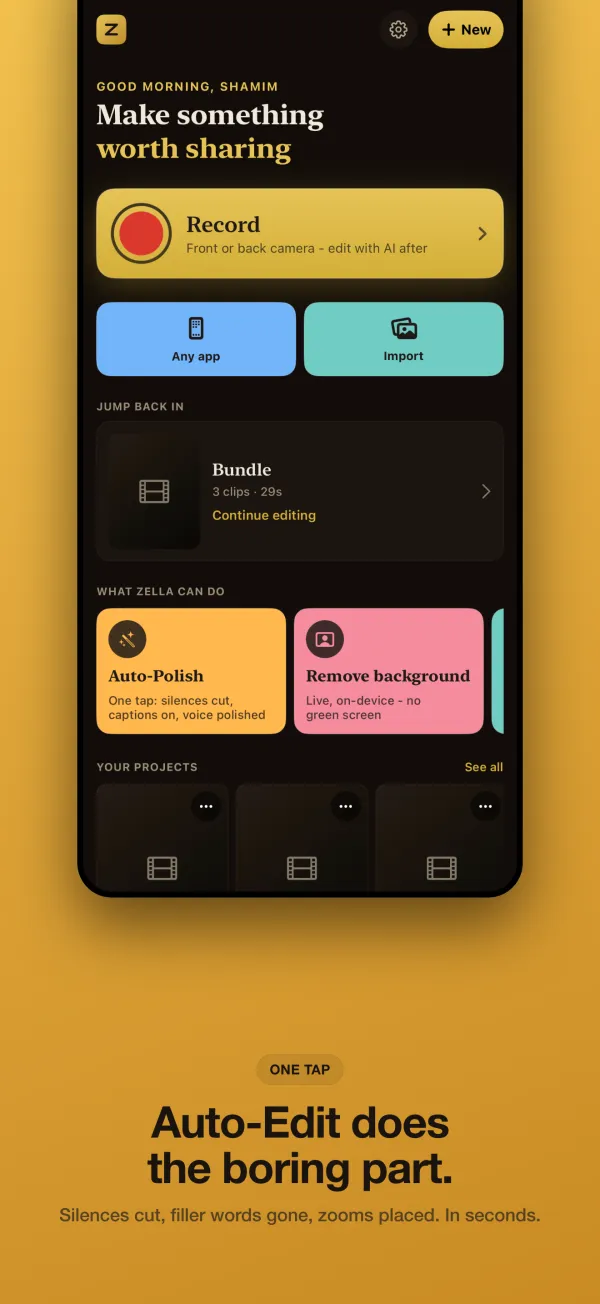
How to do it in Zella
-
Step 1: Choose a screen capture
Open Zella and pick screen recording for Zella's own capture, or whole-device broadcast to capture everything on the phone, including other apps. The broadcast starts from Apple's system broadcast picker.
-
Step 2: Run through your demo
Switch to the app you want to show and work through the steps at a steady pace. A short pause between steps makes clean cuts easier later.
-
Step 3: Bring the take into the editor
Stop the capture and open the recording in Zella's editor, where it sits on the timeline ready to cut. Already used the iOS recorder? Use Import from Photos and edit that clip instead.
-
Step 4: Show where to look
There is no cursor on a phone, so use Arrows & Labels: Spotlight to pull focus, Number badges for steps, and Blur or Pixelate to hide anything private. Clean Up removes the pauses in one tap.
-
Step 5: Export for where it is going
Tap Export and choose MP4, MOV or GIF with a TikTok / Reels / Shorts, YouTube or Instagram preset, or save the project as a .zella file to finish it on the Mac.
Why do it this way
Captures other apps, not just Zella
Whole-device broadcast goes through the system broadcast picker, so it records across the device. That is the honest way to show a mobile app working.
An editor, not just a file
Cut, trim, ripple-delete and reorder on a touch timeline, add word-by-word captions, and drop arrows, labels and spotlights exactly where viewers should look.
Nothing leaves the phone
Recording, editing and export run on the device with no account and no upload. When you want the big screen, hand the project to the Mac as a .zella file.
What you need
- iPhone on iOS 18 or later
- Free on every tier: no watermark, exports up to 2 minutes at 1080p
- Zella Pro ($89 once, Mac and iPhone) for longer exports and 4K
Questions
How is this different from the iPhone's built-in screen recorder?
The built-in recorder saves a clip and stops there. Zella records with the same Apple ReplayKit technology, then lets you cut, caption, annotate and export the clip on the phone with presets for TikTok, Reels, Shorts, YouTube and Instagram.
Can Zella record other apps on my iPhone?
Yes. Whole-device broadcast captures the entire device, other apps included, through the system broadcast picker. Region and single-window capture are Mac features.
Can I show taps or keyboard shortcuts in an iPhone recording?
Cursor, click and keystroke tracking are Mac-only, because a phone has no cursor. Instead, add a Keystroke callout and type the shortcut into its text field, or use Spotlight, Arrow and Number callouts to show where to tap.
Is it free, and is there a watermark?
It is free, with no watermark and no account. Free exports run up to 2 minutes at up to 1080p, and 1080p stays free forever. Zella Pro is a one-time $89 Universal Purchase that lifts the length cap and adds 4K on iPhone and Mac.
What if a call comes in while I am recording?
Zella writes each take in segments as it records, so the footage up to the interruption is kept. The same is true if the battery dies or iOS sends the app to the background.
Related tools
Read the manual