One-click edit · Mac and iPhone
Turn a raw take into an edited video with one click
Editing a talking-head take by hand means scrubbing for every pause, every um and every flat stretch. Auto-Polish does that tedious part of the job in one pass, so you start from a cut that already moves and spend your time on the choices that need taste.
It is deliberately restrained. Auto-Polish leaves your colour alone and places no sound effects. If you want those too, Make it Viral sits right next to it and runs the same pass plus a colour lift and matched sounds under the strongest cuts.
- Mac and iPhone
- Free on every tier
Quick answer
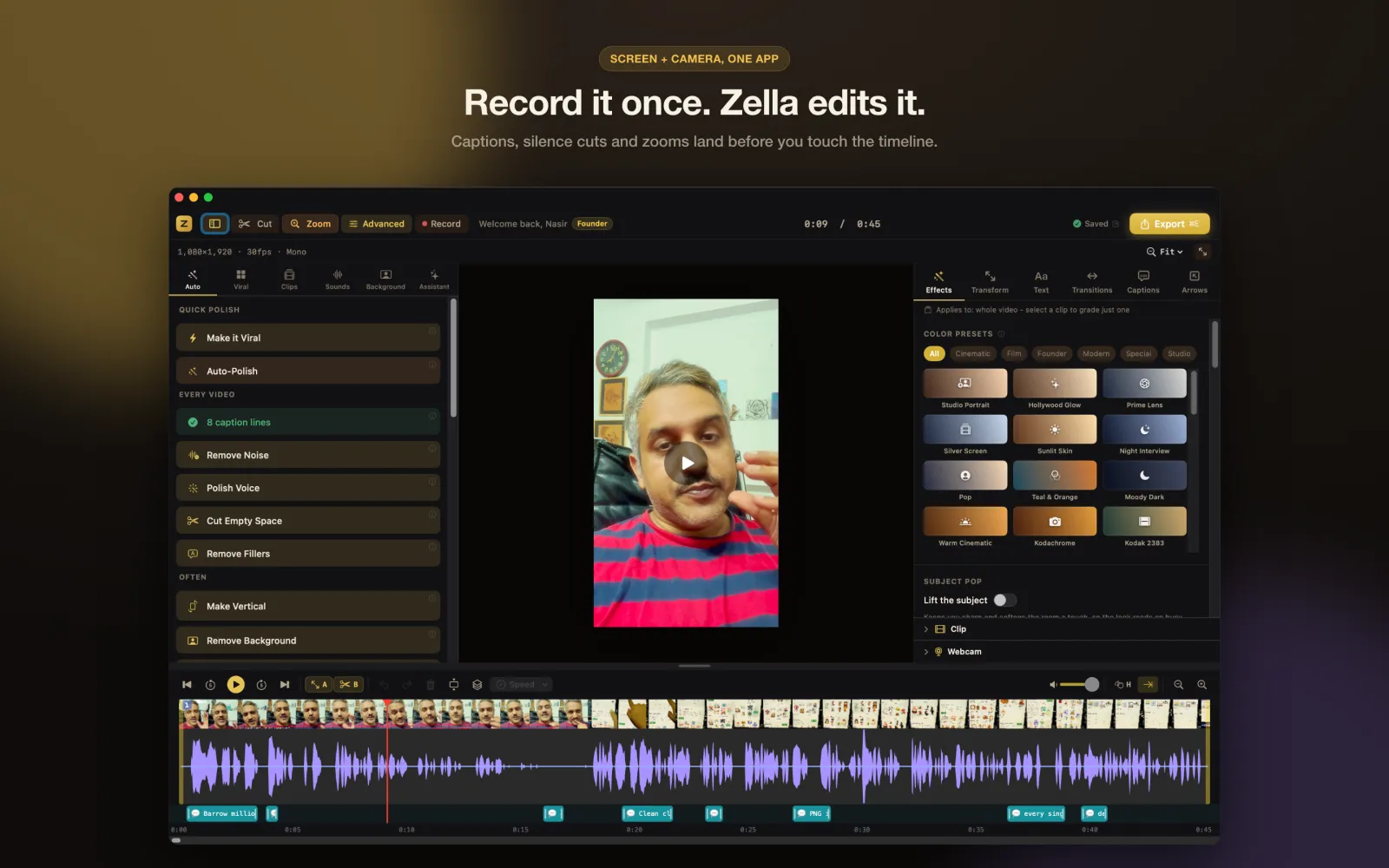
Zella's Auto-Polish is a free one-click edit on Mac and iPhone: it cuts silences and filler words, writes captions, adds an opening title, cleans and levels your voice, places zooms and lays in background music that ducks under you. On the Mac it runs on its own when a new recording opens; on iPhone it is one tap in the Auto sheet. It never applies a colour grade, it runs on your device, and running it again replaces its own work instead of stacking.
How to do it in Zella
-
Step 1: Record or import a take
Record on the Mac or iPhone, or import a clip you already have. Auto-Polish is built for speech: a talking head, a tutorial, a podcast clip.
-
Step 2: Run Auto-Polish
On the Mac it starts by itself when a new recording opens the editor; on any other project, click Auto-Polish under QUICK POLISH in the sidebar. On iPhone, open the Auto sheet and tap Auto-Polish.
-
Step 3: See what it changed
On iPhone, See what it changes lists every step with one plain line on what it does to your video. On the Mac, one Command-Z undoes the whole pass.
-
Step 4: Fine-tune by hand
Fix a misheard caption word, move a zoom or swap the music. Running Auto-Polish again replaces its own cuts, titles and music rather than adding a second set.
-
Step 5: Add colour if you want it
Pick a look yourself in the Effects tab, or run Make it Viral for the colour lift and the sounds under the strongest cuts.
Why do it this way
A real edit, not a filter
Silences and fillers are cut, captions are written against the final timeline, the voice is denoised and brought to broadcast loudness, and music dips under your speech then swells back in the pauses.
Your look stays yours
Auto-Polish never grades your footage on either platform, so the looks stay one deliberate tap away. On iPhone, Make it Viral's colour pop also skips any clip you have already graded yourself.
Free and on your device
Auto-Polish and Make it Viral are free on every tier, on Mac and iPhone. Transcription, cutting, voice work and music all run on the device, with nothing uploaded.
What you need
- macOS 14 Sonoma or later (Apple Silicon or Intel), or iPhone on iOS 18 or later
- A take with spoken audio for captions and filler cuts
- On iPhone, the transcription model downloads once (about 145 MB) the first time you transcribe
- Free on every tier: no watermark, exports up to 2 minutes at 1080p
Questions
Does Auto-Polish change my colours?
No. It applies no colour grade on Mac or iPhone, because grading is a taste decision. The looks stay in the Effects tab, and Make it Viral is the button that adds a colour lift.
Can I stop it running automatically on the Mac?
Yes. Switch off Auto-Polish new recordings on the Export tab of Studio Settings. You can still run it any time from the QUICK POLISH section of the sidebar.
Is it safe to run twice?
Yes. Re-running Auto-Polish replaces its own previous cuts, titles and music instead of stacking doubles, and every step can be undone.
Does it work in languages other than English?
Captions come from on-device transcription in 27 spoken languages, and on iPhone 18 of them are verified end to end. On the Mac, a take in another language still gets its silences cut while the English filler pass is skipped.
Is Auto-Polish a Pro feature?
No. Auto-Polish and Make it Viral are free on every tier. Zella Pro only lifts the export ceilings of 2 minutes and 1080p and adds pro export formats, the multi-aspect queue, saved templates and the depth toolset.
Related tools
Read the manual