Editors ship four kinds of media: music beds, sound effects, graphics like stickers and titles, and sometimes stock footage. Catalogue size is a vanity metric, because you audition maybe six tracks before picking one and you only ever use about five sound effects. The questions that decide whether a library is useful are different: does it work with no signal, is it licensed for the video you are actually making, does it need an account, and does the licence travel when you repost the same edit somewhere else. Music added inside TikTok or Instagram does not travel, which is the single most expensive thing to learn late.
Every editor advertises the same thing: a number. Three hundred thousand tracks. A thousand sound effects. Millions of stock clips.
The number is close to meaningless. You audition maybe six tracks before you pick one, and across a year of videos you will use about five different sound effects. A library of 300,000 is not fifty times more useful than a library of 30; it is mostly a longer scroll between you and a decision.
What actually decides whether built-in media is worth anything is a different set of questions, and almost nobody publishing "best free music sites" lists asks them.
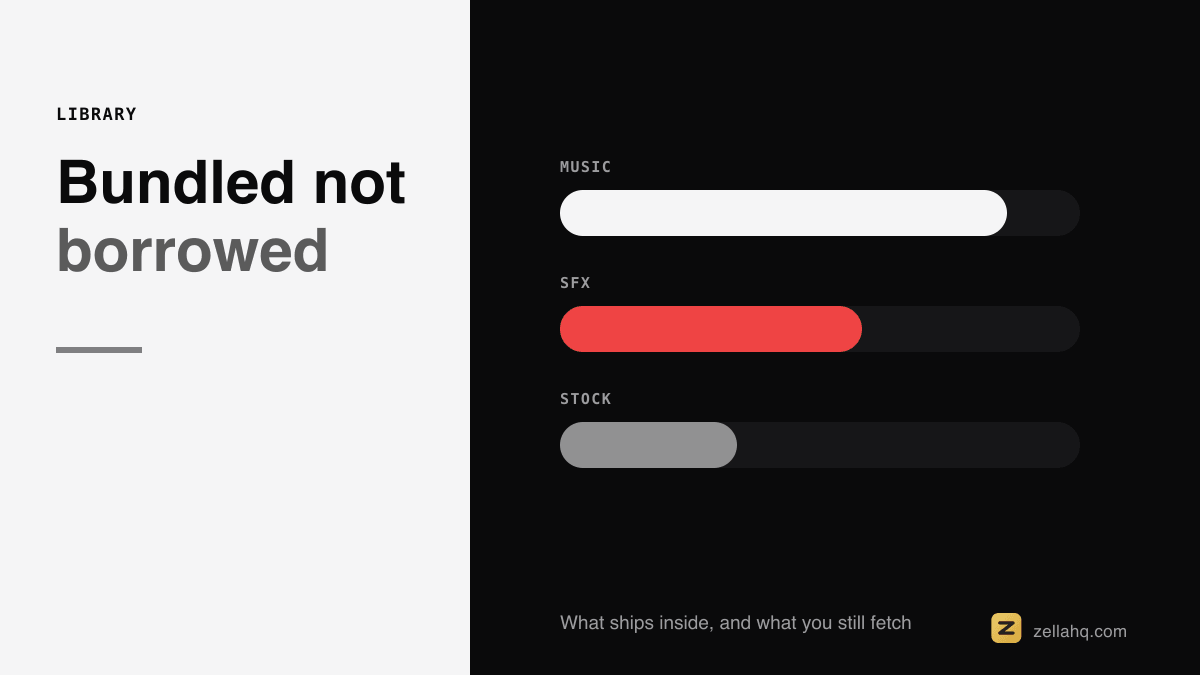
The four things an editor can ship
Music beds. Instrumental loops that sit under narration. Their whole job is to be unnoticed, which is why a bed that loops badly ruins a video and a bed nobody can name is doing its job.
Sound effects. Whooshes, impacts, risers, pops, clicks. These mark cuts and punctuate. They are the highest ratio of perceived production value to effort in short-form video, and the reason a competent edit suddenly feels finished.
Graphics. Stickers, titles, callouts, lower thirds. Text on screen that you did not have to design.
Stock footage and images. B-roll to cover a cut or illustrate a point. This is the one editors are least likely to ship for real, because it is the one that costs them money per download.
The questions that actually matter
Instead of counting, ask these four:
- Does it work with no signal? A cloud library is a library you do not have on a plane, on a train, or in a cafe with hostile wifi. Anything that streams a preview and downloads on use is unavailable exactly when you have time to edit.
- Is it licensed for what you are making? Personal use, monetised YouTube and a client's paid ad are three different permissions. Many "free" libraries quietly stop at the first one.
- Does it need an account? Attribution requirements, sign-up walls and per-download limits are how free libraries fund themselves.
- Does the licence travel? This is the one that costs people real money, and it gets its own section.
The four licensing models, and the trap in each
Composed inside the app. The editor generates or ships its own audio. No attribution, no account, nothing to download, and it works offline. The trap: catalogues are small, so if you post daily your videos start sounding alike. Vary the bed deliberately.
A bundled library. Tracks licensed by the vendor and shipped or streamed to you. Usually the biggest catalogues. The trap: it is often the subscription tier that carries the licence, and the terms can be narrower than you assume. Read what happens to videos you already published if you stop paying.
A platform catalogue. The music you add inside TikTok, Instagram or YouTube Shorts. Huge, current, includes actual chart music. The trap is the big one: the licence covers use on that platform. Add a trending sound inside TikTok, export the video, upload it to YouTube, and you have posted commercial music without a licence. The usual outcome is not a lawsuit, it is your video being muted or demonetised after it starts working. YouTube's own Audio Library exists precisely because its catalogue rules are platform-specific.
Your own stock key. The editor searches a stock provider with an API key you supply. You get an enormous library on the provider's terms rather than the editor's, and you keep the relationship. Pixabay's content licence, for instance, allows commercial use with no attribution, which is not true of every provider a search result will hand you.
Sound effects: five is the working set
Look at any well-cut short-form video and count the distinct effects. It will be about five:
- Whoosh for a fast transition or a camera move.
- Impact for a hard cut on a beat or a punch-in.
- Riser to build into a reveal.
- Pop for a sticker, caption or graphic arriving.
- Click or tick for a list item or a UI action.
A thousand-effect library gives you the same five plus a long scroll. What actually improves an edit is placement, not selection: an effect on the cut rather than a frame after it, at a level you notice only if it is missing.
The one genuine argument for a large library is specificity. If you need a 1970s telephone ring or a particular bird, no small bundled set will have it, and that is what stock sound sites are for.
Stickers and graphics: offline beats infinite
Most mobile editors wire their sticker tray to a GIF service, which is why the tray is enormous and why it is empty without a connection. It also means the editor has adopted someone else's moderation decisions, which matters more than it sounds when the app is rated for teenagers.
A curated on-device set is smaller and always there. Searchable matters more than large: being able to type "fire" or "money" and get the right glyph beats scrolling a wall of them.
Stock footage: the honest version
Very few editors ship real stock video, because the per-download cost is real. What you usually get instead is one of three things: a small sample set, an upsell to a subscription, or a search box wired to a provider with your own key.
The third is the honest one. You bring a free Pexels or Pixabay key, the editor searches on your behalf, and the licence is between you and the provider. Nobody is pretending a library is included when it is being resold to you.
What Zella ships, in measured numbers
Everything below is on the device, works with no network, and needs no account:
- 16 music beds across lo-fi, pop, cinematic, hip-hop, acoustic, EDM, corporate, synthwave, phonk, amapiano, drill, desi pop, emotional piano and bossa. Composed for Zella rather than licensed, so there is no attribution line to put in your video and no track licence to keep track of. Each is a whole number of bars, which is what stops a bed thumping where it loops.
- 101 sound effects in categories, with tap to hear it and + to place it so you audition before committing.
- 74 stickers in six searchable categories, on device, deliberately not a GIF service.
- 12 title templates, 85 text animations, 25 transitions, 92 colour looks (95 with the Founder grades) and 16 voice changers.
- B-roll search using your own Pexels or Pixabay key, so the stock licence is yours and nothing is resold.
The audio guide covers the mixing side, and if the question you actually have is where to license music from outside an app, that is a different article: royalty-free music for commercial use. For placing a bed under narration without it fighting your voice, see how to add music on iPhone.
Frequently asked questions
Is music built into a video editor copyright free? It depends entirely on which of the four models it uses. Audio the editor composed or licensed for you is usually clear for any use. A platform catalogue inside TikTok or Instagram is licensed for that platform only. Check what the terms say about commercial use and monetisation, not just the word "free".
Can I use TikTok sounds on YouTube? Not safely. The licence covers use on TikTok. Reposting the same file to YouTube means you have uploaded commercial music without a licence, and audio matching is very good. The realistic outcome is the video being muted or demonetised, usually after it starts performing.
How many sound effects do I actually need? About five: a whoosh, an impact, a riser, a pop and a click. Placement matters far more than selection. Put the effect on the cut, not near it, and keep it quiet enough that you would only notice it missing.
Do built-in music libraries work offline? Some do and most do not. Anything that streams previews needs a connection. Audio that is generated or bundled on the device works anywhere, which matters if you edit while travelling.
Does a bigger media library make better videos? No. Beyond a couple of dozen usable options you are choosing, not searching, and more choice slows that down. What improves a video is the bed ducking under your voice, the effect landing on the cut, and the text being readable.
Make your next video with Zella.
Record, edit and ship on Mac and iPhone - local, private, free to start.
PART OF A SERIES
Sound effects, beat sync and voice changers
The 101 built-in effects, cutting on the kick, and 16 ways to change a voice.
- What Music and Sound Effects Come Built Into a Video Editoryou are here
- How to Sync Video Cuts to the Beat of a Song
- How to Change Your Voice in a Video (16 Ways)
All of it lives under Sounds & Audio.
RELATED