To post consistently without burning out, stop making one piece at a time: batch similar tasks into blocks, work from reusable templates, and turn one recording into several posts. Then pick a cadence you can hold for six months rather than the maximum you can survive for two weeks. For most creators that is 3 to 5 posts a week on Instagram, 2 to 5 on TikTok and one long-form YouTube video.
Consistency is a systems problem, not a willpower problem. The creators who post reliably for years do not have more discipline than you; they have removed the daily decisions that drain it, by batching production, working from templates, and repurposing one idea into many posts. The goal is not to post as often as physically possible, but to pick a cadence you can hold steady for six months without dreading it.
That last point matters more than ever. One 2026 survey of full-time creators reported 62 percent with severe burnout symptoms and nearly half having considered quitting within six months. Creator surveys skew heavily toward whoever answers them, so read the magnitude loosely - but every survey of this kind lands in the same unhappy place, which is itself the finding. Consistency that ends in quitting is not consistency. This guide is built around durability.
Why do creators burn out, and does posting less fix it?
Burnout usually comes from context switching and open-ended pressure, not from the volume of work itself. Filming, editing, captioning, thumbnailing, and posting one video every single day forces your brain to change modes constantly, and every switch has a cost. Platforms that demand daily output make it worse, and TikTok creators are commonly reported to burn out faster than YouTube creators because of that cadence. There is no rigorous measurement behind the specific comparison, but the difference in required output is real and easy to verify for yourself.
Posting less can help, but the more reliable fix is changing how you produce. The same survey found roughly a fifth of creators deliberately reducing output, and a similar share taking intentional quiet periods, in order to stay in the game at all. Rest is a strategy, not a failure.
What is content batching, and why does it work?
Content batching means grouping the same type of task and doing it all at once, instead of taking one piece from idea to publish before starting the next. A typical batch: set aside a three-hour block to film five videos back to back, then a separate block to edit them, then a third to write captions and schedule everything.
It works because it eliminates context switching and separates your creative days from your output days. You set up your lighting and mindset once and use them five times. A practical batching week looks like this:
| Day | Batch task | Output |
|---|---|---|
| Monday | Plan and script | 5 outlines ready to film |
| Tuesday | Film everything in one sitting | 5 raw recordings |
| Wednesday | Edit all clips | 5 finished videos |
| Thursday | Captions, thumbnails, titles | Fully packaged posts |
| Friday | Schedule across next 1-2 weeks | Queue full, week off |
Editing is the step that most often collapses a batch. It is also the easiest to speed up. If your videos are screen recordings, tutorials, or talking-head clips, a tool like Zella runs Auto-Polish the moment each recording opens: silence and filler cuts, auto-zoom, noise removal and voice polish, a hook title and a ducked music bed, in one pass. That turns a multi-hour edit into a few minutes, which is usually the difference between batch day finishing and batch day collapsing.
How do I build a simple content calendar?
A content calendar does not need to be complicated. It needs to answer three questions in advance: what am I posting, where, and when. Overbuilt calendars get abandoned; a single spreadsheet or a free scheduling tool is enough.
Start with content pillars: three to five recurring themes you can always make content about (for example: tutorials, behind-the-scenes, quick tips, reactions). Then assign pillars to slots. Knowing that "Tuesday is always a tutorial" removes the daily what-should-I-post decision that quietly burns creators out. Fill two weeks ahead at minimum so a bad day never breaks your streak.
How do I use templates to speed things up?
Templates turn creative decisions into repeatable formats. The idea is to design the container once and pour new content into it every time, so you are never starting from a blank page.
- Video templates: a fixed intro hook style, a standard captions style, and a repeatable outro or call to action.
- Thumbnail templates: one layout with swappable text and image, so every thumbnail takes minutes, not an hour.
- Caption templates: an opening-line formula, a body structure, and a consistent hashtag or link block.
- Script templates: hook, then value, then payoff, then call to action.
In practice, saving a captions preset once and reusing it means every clip in a batch gets the same on-brand look automatically. Zella ships 9 caption presets plus 92 colour looks you can pick once and reapply, which is exactly the kind of set-once-reuse-forever decision that keeps batch day fast. Saving your own full templates is part of the one-time $89 Pro.
How does repurposing help me post more with less work?
Repurposing means turning one core piece of content into several posts across formats and platforms. It is the single biggest multiplier for consistency, because most of the work is in the idea and the recording, not in the packaging.
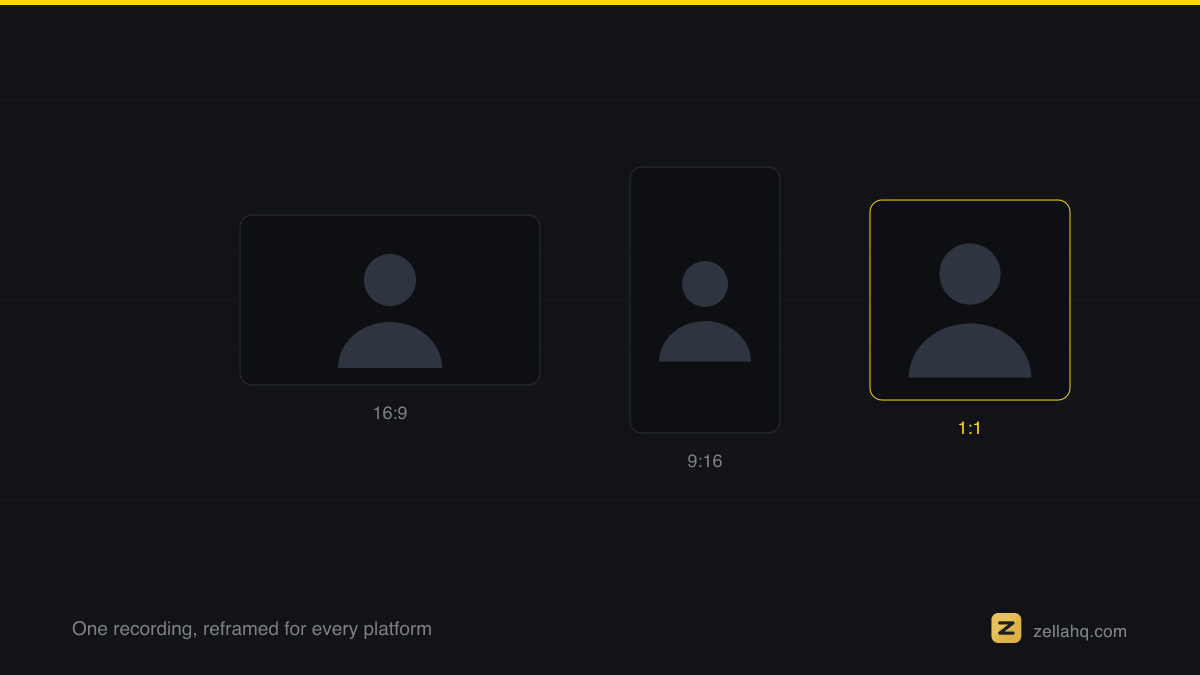
A single ten-minute tutorial can become: the long-form video for YouTube, three vertical clips for Shorts and Reels, a carousel of key steps, a text post of the main takeaway, and a GIF for a reply. Reframing a horizontal recording to vertical 9:16 is a one-click step in Zella, and you can export a GIF from any clip. See our guide on making a 9:16 reel from a screen recording for the exact workflow.
Your audience will not notice or care that you scheduled a post three weeks ago. What they notice is whether it is any good, and whether you are still there next week.
What is a realistic posting cadence per platform in 2026?
Pick the lower end of these ranges and hold it. More is not automatically better; algorithms in 2026 reward content that keeps people engaged, not content that merely exists.
| Platform | Sustainable cadence | Notes |
|---|---|---|
| 3-5 posts per week | Posting 3-5x weekly yields about 12% more reach per post than once or twice; more than 5x sees diminishing returns | |
| TikTok | 2-5 posts per week | Going from 1 to 2-5x weekly gives the biggest lift in views |
| YouTube long-form | 1 video per week | Weekly uploads are rewarded; quality over raw count |
| YouTube Shorts | 3-5 per week | Consistent Shorts grow subscribers roughly 67% faster |
Notice the numbers are modest. The batching and repurposing systems above are what make even these achievable without it eating your whole week.
A simple consistency checklist
- Define 3-5 content pillars you can always create around
- Fill a calendar at least two weeks ahead
- Batch by task: plan, film, edit, package, schedule on separate blocks
- Build templates for thumbnails, captions, and scripts
- Repurpose every core piece into at least three formats
- Automate editing (silence and filler removal, captions, zoom) to protect batch day
- Pick a cadence you can hold for six months, not two weeks
- Schedule a real quiet period before you need it
Frequently asked questions
How far ahead should I schedule content?
Aim for at least two weeks of queued posts, and build toward a month. That buffer means a sick day, a slow week, or a creative dip never breaks your public streak, which is what audiences and algorithms actually reward.
Is it better to post daily or post consistently?
Consistently. A steady three-times-a-week cadence you can maintain for a year beats daily posting that collapses after a month. Algorithms in 2026 reward engagement and quality over sheer volume, and a reliable rhythm trains your audience to expect you.
How long does content batching take to set up?
The first batch always feels slow because you are building templates and a workflow. By the second or third session most creators cut their per-post time significantly, because filming, editing, and packaging each happen in one focused block instead of scattered across the week.
What is the fastest thing to automate first?
Editing. It is the step that most often kills a batch. Removing silences and filler words, adding captions, and auto-zooming can be automated in one click with a tool like Zella, which frees up the hours that otherwise make consistency unsustainable. See how to remove filler words from a video on Mac.
Do I need paid tools to stay consistent?
No. A free spreadsheet, free templates, and a free editor cover the essentials. Zella's free plan includes unlimited recording, the full editor, Auto-Polish, captions, and 1080p export up to 2 minutes (watermark-free), so the whole batch-and-repurpose system above works at zero cost.
How do I recover if I fall off my schedule?
Do not try to backfill missed posts. Just restart at your normal cadence with your next scheduled slot. Audiences forgive gaps; they do not forgive a creator who vanishes because they felt too far behind to return. A queue built two weeks deep makes the restart almost automatic.
Make your next video with Zella.
Record, edit and ship on Mac and iPhone - local, private, free to start.
RELATED