A voiceover only works if you can see the video while you speak, because your pacing has to follow the cut rather than a stopwatch. On iPhone, the Voice Memos route gives you no picture at all, iMovie plays picture but has no way to treat the recording afterwards, and CapCut plays picture but wants an account. Record straight into the editor with the preview rolling, use headphones so the phone speaker does not bleed back into the microphone, and record in passes of one or two sentences rather than one long take. Afterwards, keep the raw recording: any editor that lets you change the voice should render the effect from the original take, or your changes stack and you can never get back to what you actually said.
The part that decides whether a voiceover sounds professional is not the microphone. It is whether you can see the video while you are speaking.
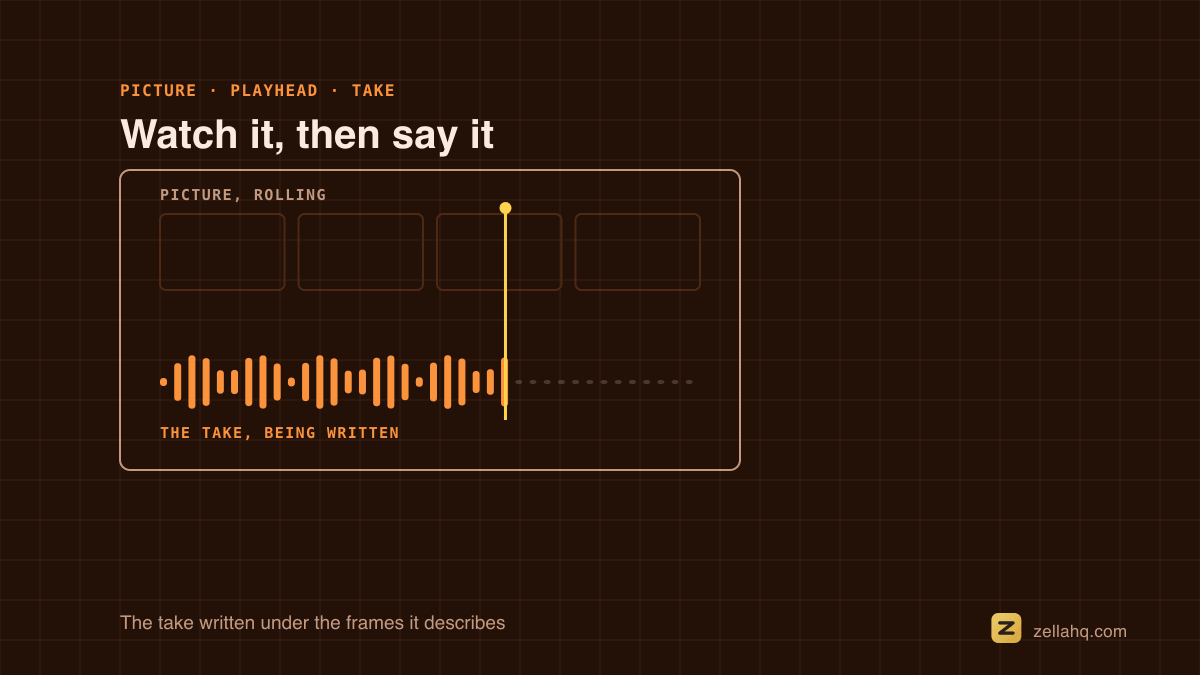
Narration is a performance timed to picture. You slow down over the shot that needs a beat, you land the punchline as the cut happens, you stop talking while something on screen speaks for itself. None of that is possible if you are reading to a stopwatch and hoping it lines up.
Why most phone workflows make this hard
There are three common routes on an iPhone, and each breaks in a different place.
Voice Memos, then import. You get a clean recording and no picture at all. You are performing blind, then spending longer nudging the audio into place than you spent recording it. It is the most popular method and the worst one.
iMovie. It plays the video while you record, which is the important part. What it does not give you is any treatment of the result afterwards, so a take with a thin or boomy voice is a take you re-record.
CapCut and similar. Picture plays and the tools are there, but you are signing in, and on the free tier your audio is going somewhere other than your phone.
Levels, headroom, and why a mix can peak correctly and still sound wrong: Apple's Final Cut Pro user guide covers all three.
On iPhone, screen capture goes through ReplayKit, Apple's system framework for recording and broadcasting the screen.
Do this instead
- Put the playhead where the narration starts. Not at the top of the timeline. You are recording a passage, not the whole video.
- Wear headphones. This is the single biggest quality difference and it costs nothing. Without them the phone has to mute the video, or your microphone records the video's own audio back into your take and you get a hollow, doubled sound that no amount of editing removes.
- Roll the picture and speak. Watch the cut you are describing.
- Record in passes of one or two sentences. A four-minute unbroken take means one stumble costs four minutes. Short passes are also easier to re-time later, because each one starts at a known point.
- Leave a beat of silence before you start talking and after you stop. That silence is what lets an editor duck music cleanly around your voice, and it gives you somewhere to cut.
In Zella this is Audio → Record voiceover: the video plays inside the recording sheet, muted on the speaker so the microphone cannot capture it back, audible if you have headphones in. It says which of the two is happening rather than leaving you to guess.
Room and mic, in about a minute
You do not need a microphone. You need to stop the room getting into the recording.
- Get close. Hold the phone about a hand's width from your mouth, slightly off to one side so your plosives - the p and b sounds - miss the microphone rather than thumping it.
- Kill the reflections. A bare room bounces your voice back at the phone about ten milliseconds late, and that is what "amateur" sounds like. Stand in front of a curtain, a wardrobe of clothes, or a bed. A duvet over your head and the phone is not a joke; it is the cheapest acoustic treatment there is.
- Turn off the fan, the fridge and notifications. A hum is far harder to remove than it is to avoid, and any noise removal that does take it out takes some of your voice with it.
What to do with the take afterwards
A recorded voiceover should not be frozen. Three things are worth doing to it:
Level it against the video. Your narration should sit clearly above the footage's own audio, and any music under it should duck when you speak. Automatic ducking does this without you riding a fader.
Treat the voice if it needs it. A voice that sounds thin, muddy or distant can be improved after the fact - and if you are making a character, an explainer or an anonymous piece, changing the voice entirely is the same operation.
Keep the original. This is the one most tools get wrong. If applying an effect overwrites the recording, then applying a second effect stacks it on the first, and by the third change you can never get back to what you actually said. An editor that renders every effect from the untouched original take lets you audition freely and undo to the real thing. That is how Zella's 16 voice changers work on a voiceover: the raw file is never replaced, so "None" is always available and effects replace each other rather than piling up.
Getting the timing right without re-recording
If a passage lands slightly early or late, do not re-record it. Move it.
A voiceover placed on the timeline is a block like any other: drag it to shift when it starts, and drag either end to trim the breath off the front or the trail off the back. Most timing problems are a half second of dead air at one end, not a bad read.
If a passage is genuinely too long for the shot it covers, the cheaper fix is usually the picture: hold the shot a beat longer, or add a cutaway, rather than speeding up your voice.
The mistakes that cost the most
- Recording the whole thing in one take. You will stumble. Everyone does.
- Recording without headphones and wondering why it sounds hollow. That is the speaker bleeding into the microphone.
- Normalising to maximum loudness. A voiceover that peaks at the ceiling has nowhere to go, and it will be squashed again by the platform on upload.
- Recording in a bathroom or a kitchen. Hard surfaces, and the reflections arrive late enough to hear.
- Losing the raw take. Once effects have been baked in, your options are gone.
Frequently asked questions
Can I record a voiceover on iPhone while the video plays? Yes, but not in every app. iMovie plays picture while you record, and so does Zella, where the preview rolls inside the recording sheet. Voice Memos gives you no picture at all, which is why it is the hardest route despite being the most common.
Do I need headphones to record a voiceover? You do not need them, but they change the result. Without headphones the video has to be muted while you record, or the phone's speaker plays it back into your microphone. With headphones you hear the video and your take stays clean.
Why does my voiceover sound hollow or doubled? Almost always the speaker bleeding into the microphone. Use headphones, or record with the video muted and watch it silently.
Can I change the voice after I have recorded the voiceover? In some editors, yes. The thing to check is whether the effect is rendered from the original recording or applied on top of the last one. If it is applied on top, effects stack and you cannot get back to your real voice.
How long should a voiceover passage be? One or two sentences per pass. It keeps a stumble cheap, and it makes each passage easy to move independently when the timing needs a nudge.
Should I write a script for a voiceover? Write bullets rather than sentences. Full sentences read aloud sound read aloud. If you do want to read a full script to camera instead, set the prompter in words per minute rather than by an abstract speed dial.
Make your next video with Zella.
Record, edit and ship on Mac and iPhone - local, private, free to start.
PART OF A SERIES
Levels, voiceover and J/L cuts
Per-clip volume, recording over picture, and letting audio lead the cut.
- What Are J-Cuts and L-Cuts (and How to Do Them)
- How to change video volume on iPhone without a subscription
- How to Record a Voiceover on iPhone While the Video Playsyou are here
All of it lives under Sounds & Audio.
RELATED