To make a video vertical on iPhone, open it in an editor, choose the 9:16 aspect ratio and use a face-aware auto-reframe so the subject stays centred as the frame crops in. Manual cropping loses the speaker the moment they move; auto-tracking follows them. Export at 1080p and the same file works for TikTok, Reels and Shorts.
You filmed horizontally (good - it keeps quality), but social platforms want vertical. Turning a 16:9 clip into a 9:16 one means cropping away the sides, and the trick is keeping the important part in frame. Here is how.
The problem with manual cropping
If you just crop to a vertical rectangle and leave it fixed, the subject walks out of frame every time they move. Re-keyframing the crop by hand for a whole video is tedious and easy to get wrong. That is why auto-reframe exists.
Face-aware reframing is built on Apple's Vision framework, which does the detection locally so the crop can follow a speaker without a cloud round trip.
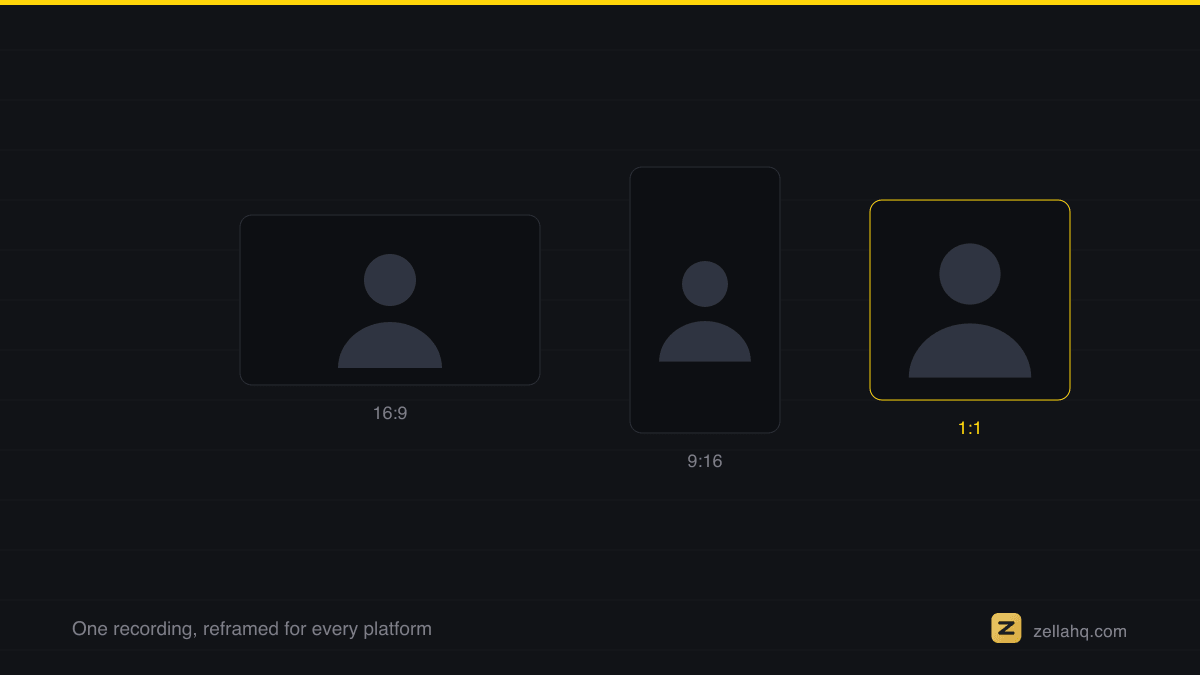
How to make a video vertical with auto-reframe
On Zella for iPhone, Make Vertical is one tap:
- Import your horizontal clip.
- Choose Make Vertical (9:16).
- Zella's face-aware reframe tracks the speaker and keeps them centered as the frame crops in - no manual keyframing.
- Nudge the framing if you want a specific composition, then export at 1080p.
See the iOS AI guide for the reframe options.
When to shoot wide and reframe (vs. shoot vertical)
- Shoot wide, reframe later when you want maximum quality and flexibility - you can crop to 9:16, 1:1, or keep 16:9 from the same source, and reframe to whichever platform needs it.
- Shoot vertical when the shot is simple and you know it is going straight to one vertical platform.
For most creators, shoot wide and reframe wins because one recording feeds every platform.
What you actually lose in the crop
Going from 16:9 to 9:16 at full height keeps roughly 32% of the original width. That sounds brutal, and it is the reason a fixed crop fails: two thirds of your frame is gone, so a speaker who drifts a step to the left drifts out of the shot.
The resolution maths is friendlier than people expect, though, which is the argument for filming wide in the first place:
| Source | Crop to 9:16 at full height | Enough for a 1080x1920 export? |
|---|---|---|
| 1080p (1920x1080) | 608x1080 | No, it upscales |
| 4K (3840x2160) | 1215x2160 | Yes, with room to spare |
That is why "shoot 4K, reframe later" is the standard advice. A 4K source still clears a full 1080x1920 vertical export after the crop; a 1080p source does not.
Reframe to other aspect ratios too
The same tool crops to 1:1 for square feed posts and keeps 16:9 for YouTube. Pick the platform preset and the editor handles the aspect ratio and quality. This is how you get a TikTok, a Reel, a Short, and a square post from a single take.
The export sizes worth knowing
Pick the platform preset and the editor sets these for you, but it helps to know what it is targeting:
| Destination | Aspect | Pixels |
|---|---|---|
| TikTok, Reels, Shorts | 9:16 | 1080 x 1920 |
| Instagram feed | 4:5 | 1080 x 1350 |
| YouTube landscape | 16:9 | 1920 x 1080 |
One 9:16 export at 1080x1920 covers all three vertical platforms, so there is no reason to render it three times.
Tips for good vertical framing
- Leave headroom. Do not crop so tight that the top of the head is cut off.
- Keep captions clear of the UI. Platform buttons and usernames sit at the edges - place captions in the middle-lower third.
- Check fast movement. If you move a lot, preview the reframe to confirm the tracker keeps up.
- Reframe last. Cut and caption first, then reframe so everything lands inside the vertical frame.
Why a dedicated app helps
The Photos app cannot auto-reframe. A real editor tracks the subject and crops intelligently, on-device in Zella with a free tier to try it. Zella for iPhone is available on the App Store; the Mac app ships on the Mac App Store today. One Pro purchase lifts the export length cap, adds 4K, and covers both.
Frequently asked questions
How do I make a horizontal video vertical on iPhone? Set the aspect ratio to 9:16 in an editor and use auto-reframe to keep the subject centered while it crops.
Will I lose quality making a video vertical? You lose the cropped-away sides, but if you filmed at 4K you keep plenty of resolution for a sharp 1080p vertical export.
Can I make one video for TikTok, Reels, and Shorts at once? Yes - all three use 9:16. Export once at 9:16 and upload the same file everywhere. See how to make a TikTok on iPhone.
Does auto-reframe work if the subject moves? Yes. Face-aware tracking follows the subject, which is the whole advantage over a fixed crop.
Make your next video with Zella.
Record, edit and ship on Mac and iPhone - local, private, free to start.
PART OF A SERIES
Reframing for vertical and square
One recording, every aspect ratio, with the face-aware crop doing the work.
- How to Resize a Video for TikTok, Instagram and YouTube
- How to Make a 9:16 Reel From a Screen Recording
- How to Make a Video Vertical (9:16) on iPhone for TikTokyou are here
- Best Video Size and Aspect Ratio for Every Platform (2026)
All of it lives under Ship Everywhere.
RELATED