To go viral on Instagram Reels in 2026, win the first 3 seconds with a visual hook, hold retention by cutting every 2.5 to 4 seconds and burning in captions (about 85% of people watch muted), use audio that is trending but relevant to your niche, keep most Reels under 30 seconds, and post when your audience is active. Virality on Reels is a stack of these, not one trick.
To go viral on Instagram Reels in 2026, you have to win three checkpoints in order: stop the scroll in the first 3 seconds, hold attention with fast cuts and readable captions, and give Instagram a reason to keep pushing the Reel (high completion, replays, shares, saves). No single trick does it. Virality is a stack, and every layer of that stack is something you can edit on purpose.
What actually makes a Reel go viral in 2026?
Instagram ranks Reels mostly on watch-time signals relative to length: average watch time, completion rate, replays, and how many people re-share or save it. Reach is not primarily about your follower count anymore, which is why small accounts can pop. The single most brutal number to know: roughly half of viewers swipe away in the first 3 seconds if nothing grabs them. That first drop-off is the checkpoint that decides whether the Reel gets shown to a wider, colder audience at all.
The second thing to internalize: about 85% of people watch with the sound off at first. If your hook lives only in the audio, most of the feed never hears it. That is why on-screen text and captions are not optional in 2026 - they carry the hook to muted viewers.
The measured version of "you have seconds": Nielsen Norman Group's dwell-time work found users often leave within 10 to 20 seconds absent an obvious payoff. Your own numbers are in YouTube's audience retention report, where the dips line up with the exact moments people left.
The 7-step Reels playbook
- Hook in the first 3 seconds - visually. Open on motion, a bold on-screen line, a result, or a pattern interrupt. Say (and show) the payoff up front: "Here is the fastest way to X" beats a slow intro. Put the hook in text on screen, not just in your voice.
- Cut every 2.5 to 4 seconds. Short-form retention lives on cadence. Trim dead air, jump-cut between sentences, and change the frame often enough that there is never a boring second to swipe on. See our retention editing guide for the mechanics.
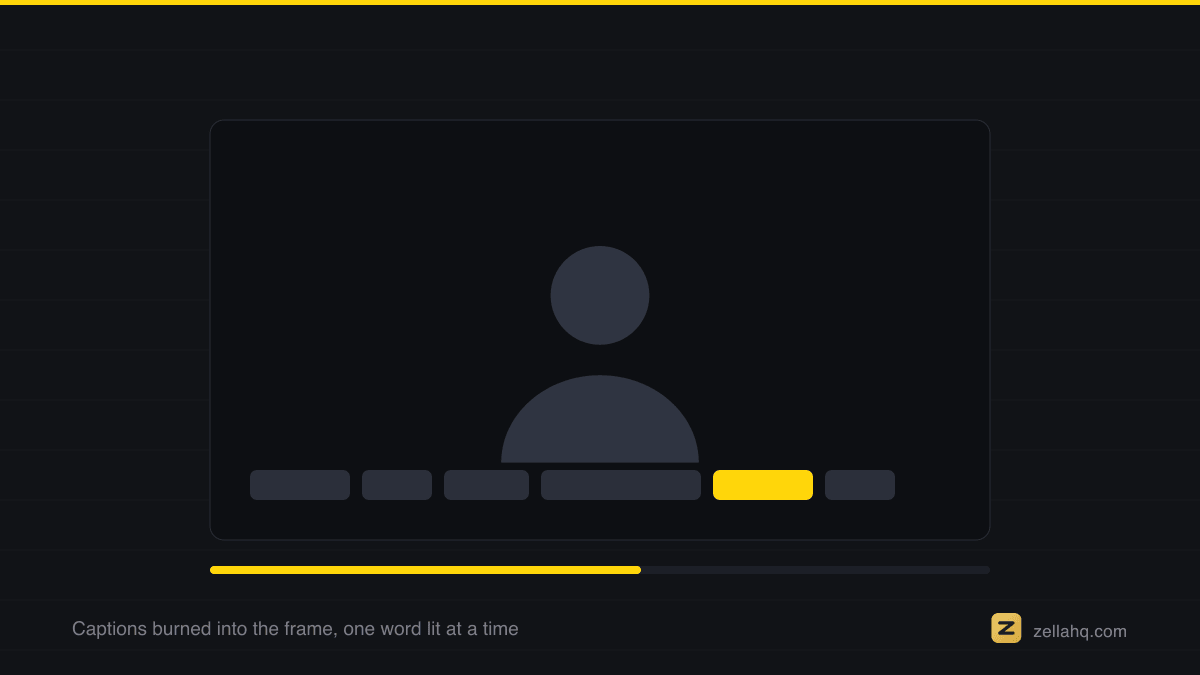
- Burn in captions. Because most viewers are muted, word-by-word or line captions dramatically lift completion. They also make the Reel accessible and searchable.
- Use audio that is trending but relevant. A trending track can add distribution, but only if it fits the vibe. Irrelevant trending audio just tanks retention. Original audio (your own voice) works great for talking-head and educational Reels - Instagram increasingly surfaces original audio too.
- Keep it tight - usually under 30 seconds. Shorter Reels loop, and loops inflate watch time. Save longer runtimes for genuine tutorials or storytelling where every second earns its place.
- End on a loop or a reason to re-watch. A seamless loop or a "wait, did you catch that?" ending pushes replays, one of the strongest ranking signals.
- Post when your audience is awake, and caption for the algorithm. A great Reel posted at 3am to a sleeping audience gets a weak first hour. Check your best window in when to post on TikTok, Instagram and YouTube, and write a caption that adds context plus a soft CTA (comment, save, share).
How long should a Reel be in 2026?
There is no magic number, but there are working ranges. Instagram Reels can run up to 3 minutes, but length should follow the job:
- 7 to 15 seconds - punchy, loopable, meme-y, or a single sharp tip. Best for pure reach.
- 15 to 30 seconds - most sweet-spot content: one idea, one payoff, high completion.
- 30 to 90 seconds - tutorials, stories, and "how I did X" that genuinely need the time.
The rule underneath all of them: only be as long as the value. A 12-second Reel that people finish beats a 45-second one they abandon. For more on this, see how long a TikTok, Reel or Short should be.
Audio, captions, and format details that quietly matter
- Vertical 9:16, full-bleed. Fill the frame at 1080 x 1920. Letterboxed or badly-cropped video reads as recycled and underperforms. If you are pulling from a screen recording or a horizontal clip, reframe it properly - here is how to make a 9:16 Reel from a screen recording and how to resize a video for TikTok, Instagram and YouTube.
- Safe zones. Keep text out of the bottom third and the top corners, where the caption, username, and UI overlays sit. Roughly the central 80% of the frame is safe on all three platforms.
- First frame = thumbnail. Your opening frame is what shows in the grid. Make it a strong, readable frame, not a mid-blink.
Frequently asked questions
Do hashtags still help Reels go viral in 2026? A little. Hashtags now work more like topic labels than reach levers. Use 3 to 5 relevant ones so Instagram understands the subject; do not stuff 30. Content quality and retention matter far more than the tag list.
Does reposting my TikToks to Reels hurt reach? It can. A visible TikTok watermark signals recycled content and often gets suppressed. Export a clean, watermark-free version and re-cut the hook for a colder Instagram audience. We break this down in why your Reels get no views but your TikToks do.
How many Reels should I post to go viral? Consistency beats volume spikes. Three to five strong Reels a week, sustained, gives the algorithm enough at-bats to find a winner. One viral Reel usually sits on top of dozens of ordinary ones.
Is it too late to go viral if I have no followers? No. Reels reach is driven by watch-time signals, not follower count, which is exactly why brand-new accounts still break through. A tight hook plus high completion can out-reach a big account's lazy post.
What makes a Reel get saved and shared? Utility and identity. People save things they will use again (tutorials, lists, references) and share things that say something about them (funny, relatable, impressive). Bake one of those into the payoff.
Make it faster in Zella
You can hit every point above without a subscription. Zella records and edits entirely on-device - no account, no upload.
- Record your talking-head, demo, or screen. Recording is unlimited and watermark-free on the free plan.
- Auto-Polish runs automatically on a fresh recording: punch-in zooms, silence and filler cuts, voice cleanup, extra cuts where you pause, and a ducked music bed. Captions are one more click. The retention layer is done before you touch anything. Color is the one thing it deliberately leaves to you.
- Tap Make it Viral for the whole ready-to-post pass in one action: dead-air trim, punch-in zooms, transitions, word-pop captions, matched sound effects and a ducked music bed.
- Reframe to 9:16 so it fills the Reels frame, restyle the captions from the 9 presets, then export at 1080p. Free export is watermark-free up to 2 minutes, plenty for almost any Reel, and 1080p is free forever. For longer edits or 4K, the one-time $89 Pro unlocks unlimited export length.
Everything is on-device with no subscription, so you can iterate fast and post daily. The Mac app is on the Mac App Store now and Zella for iPhone is available on the App Store. For the broader strategy beyond Reels, read how to make a video go viral.
Make your next video with Zella.
Record, edit and ship on Mac and iPhone - local, private, free to start.
RELATED